

Joyvo Marketplace · WordPress
Let other creators sell in your store.
Turn your WooCommerce shop into a creator marketplace: makers open their own storefronts, list their work and get paid out - and you keep a commission on every sale.
- Free with your account
- Works with any theme
- Live in 0 steps
5
parts to every seller's dashboard
Any %
your cut, set per seller
7 days
days before sales clear by default
CSV
sales export
Why creators run their marketplace on it
A real store for every creator
Their own page with logo, banner, story and policies, a dashboard for products, orders and earnings, and a vacation switch.
Commission and payouts, handled
Set one rate or a rate per creator. Money clears after an order completes; creators request payouts and you approve them.
You stay in control
Approve creators and their products, see sales by store, pay out from wp-admin and download every sale as a spreadsheet.
See it working
Real screens from a WordPress site running it - on a computer and on a phone, nothing mocked up. Tap any to look closer.
On a computer
On a phone
Swipe for more screens →
How it works
- 01
Install it on your WooCommerce store
A seller dashboard page is made for you. Set your commission and you are open.
- 02
Creators open their stores
They sign up from My Account, add their work with photos and get a store page of their own.
- 03
Sell, ship and pay out
Every sale is split for you. Sellers ship with tracking and ask for a payout once the money clears.
Step by step
Joyvo Marketplace, one screen at a time
14 steps from first click to done - real screens on a computer and on a phone.
- 1
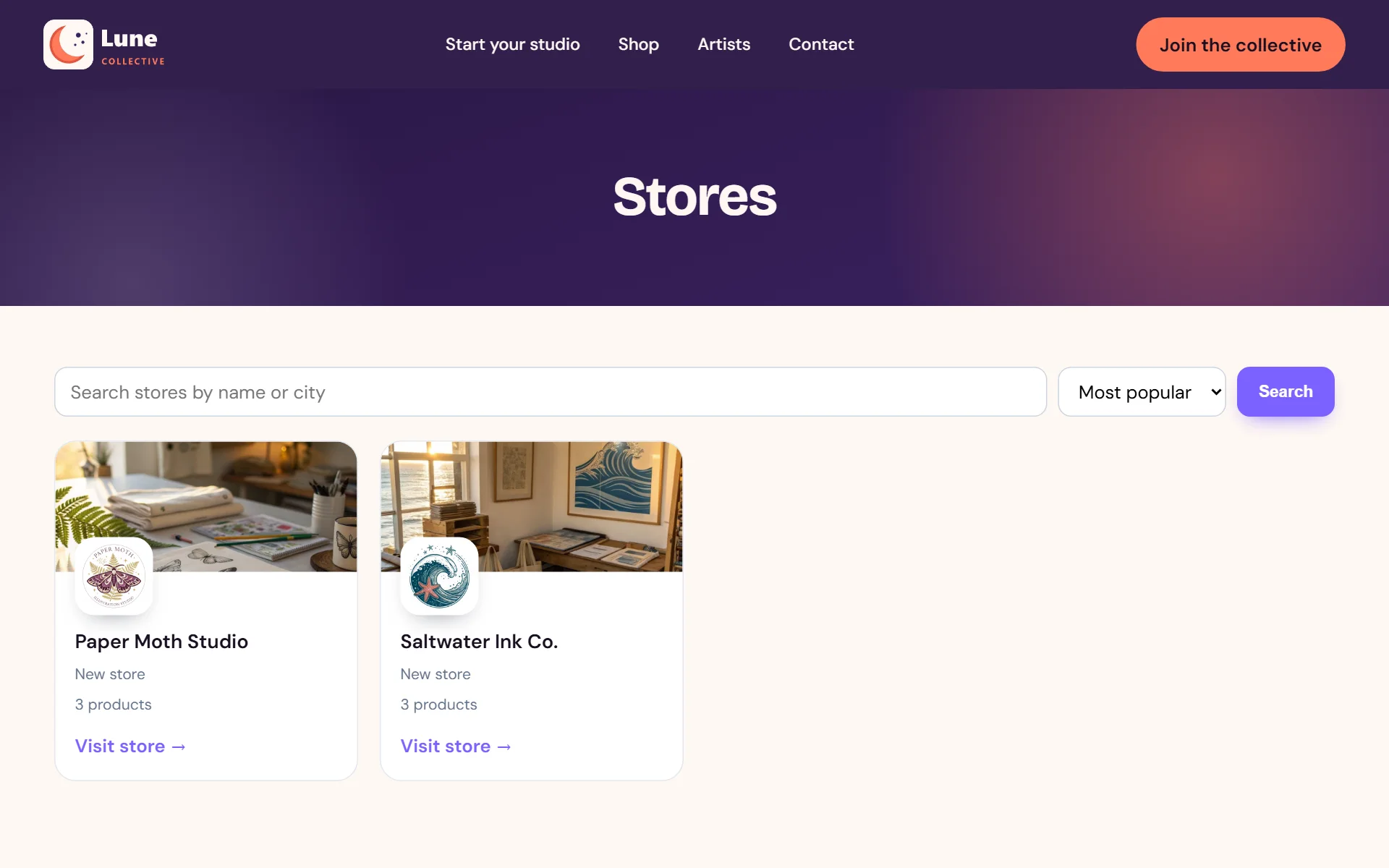
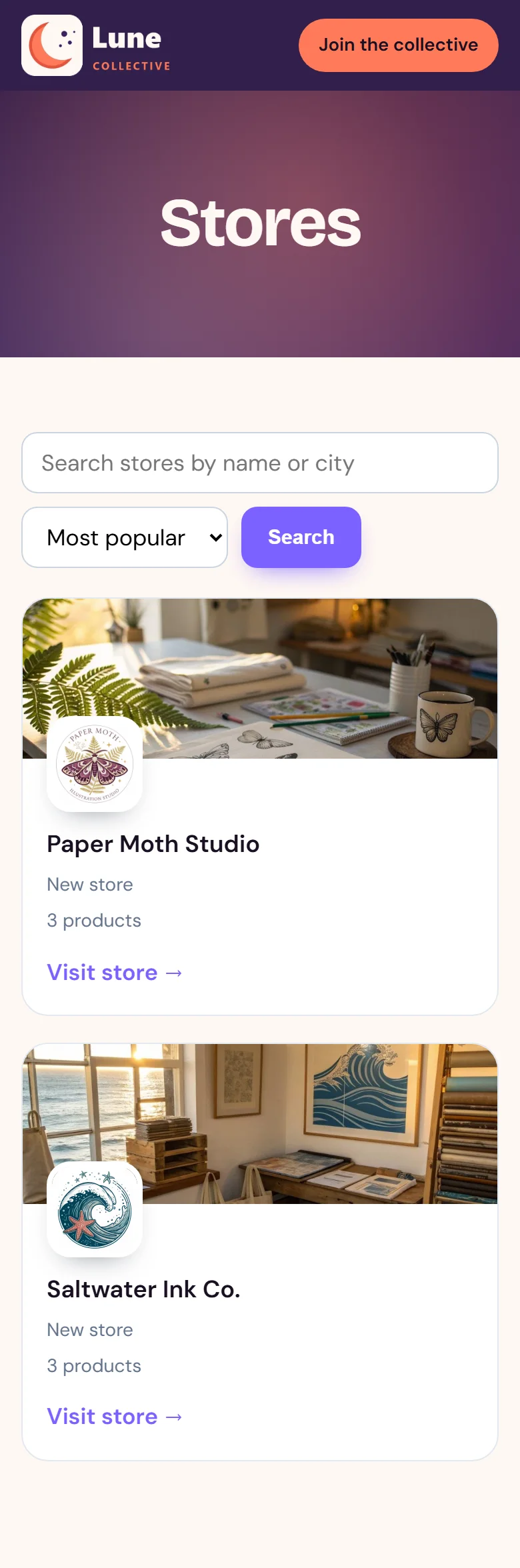
A directory of every creator's shop
- 2
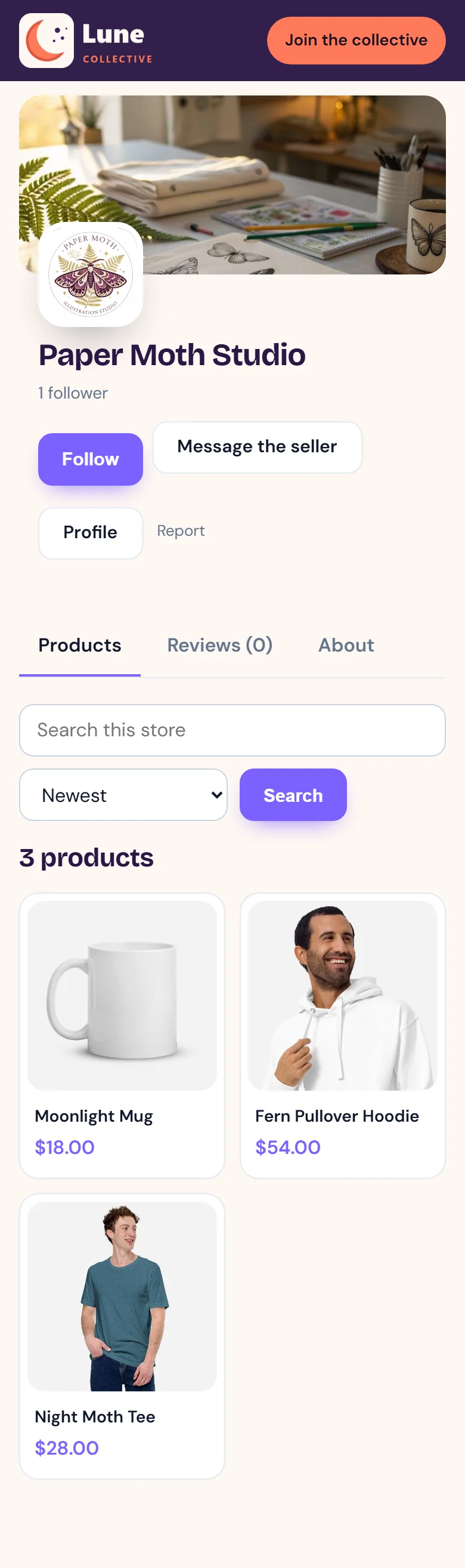
Each creator gets a shop page with their logo and banner

- 3
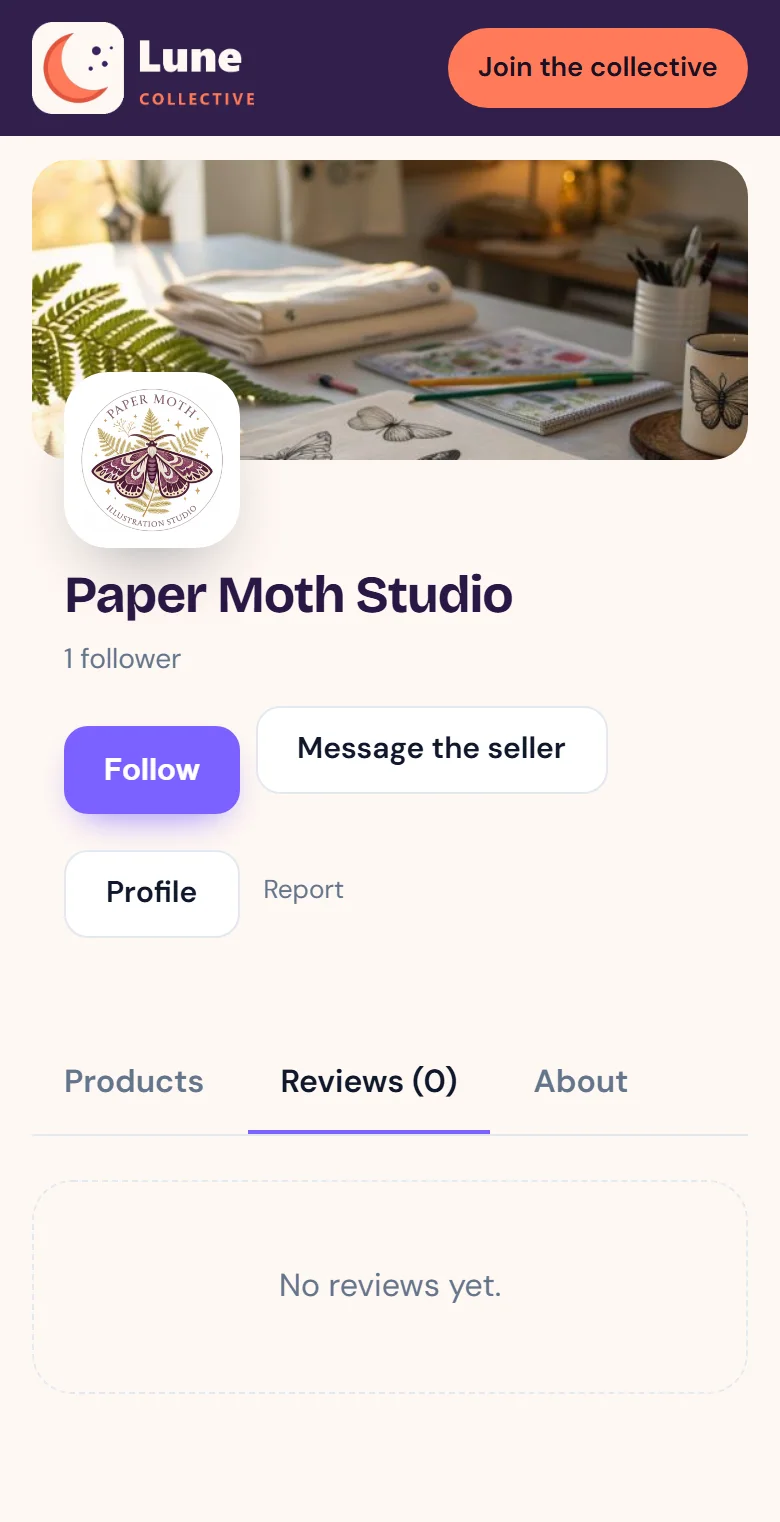
Star ratings and reviews on every shop

- 4
Each shop's story, policies and contact details
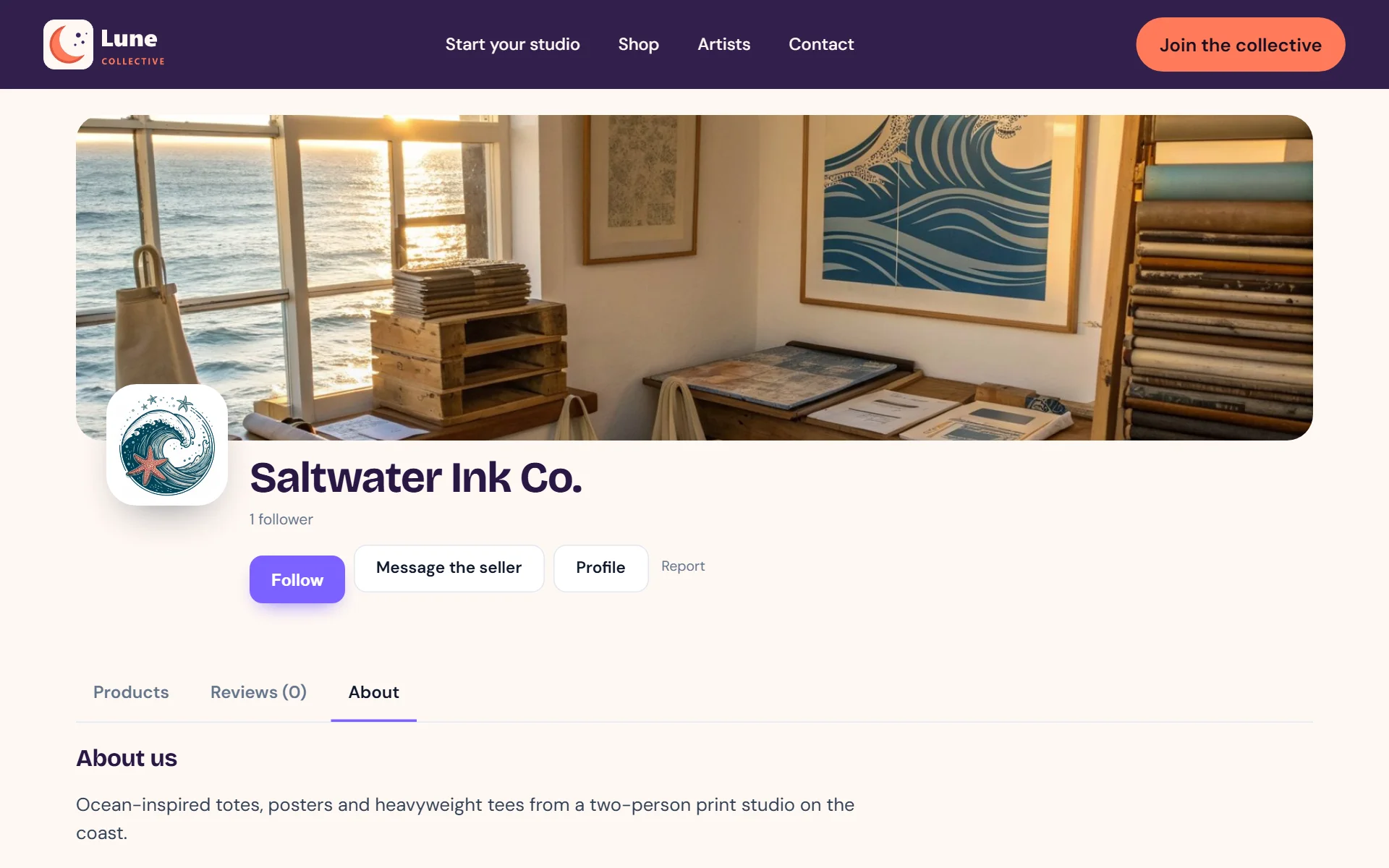
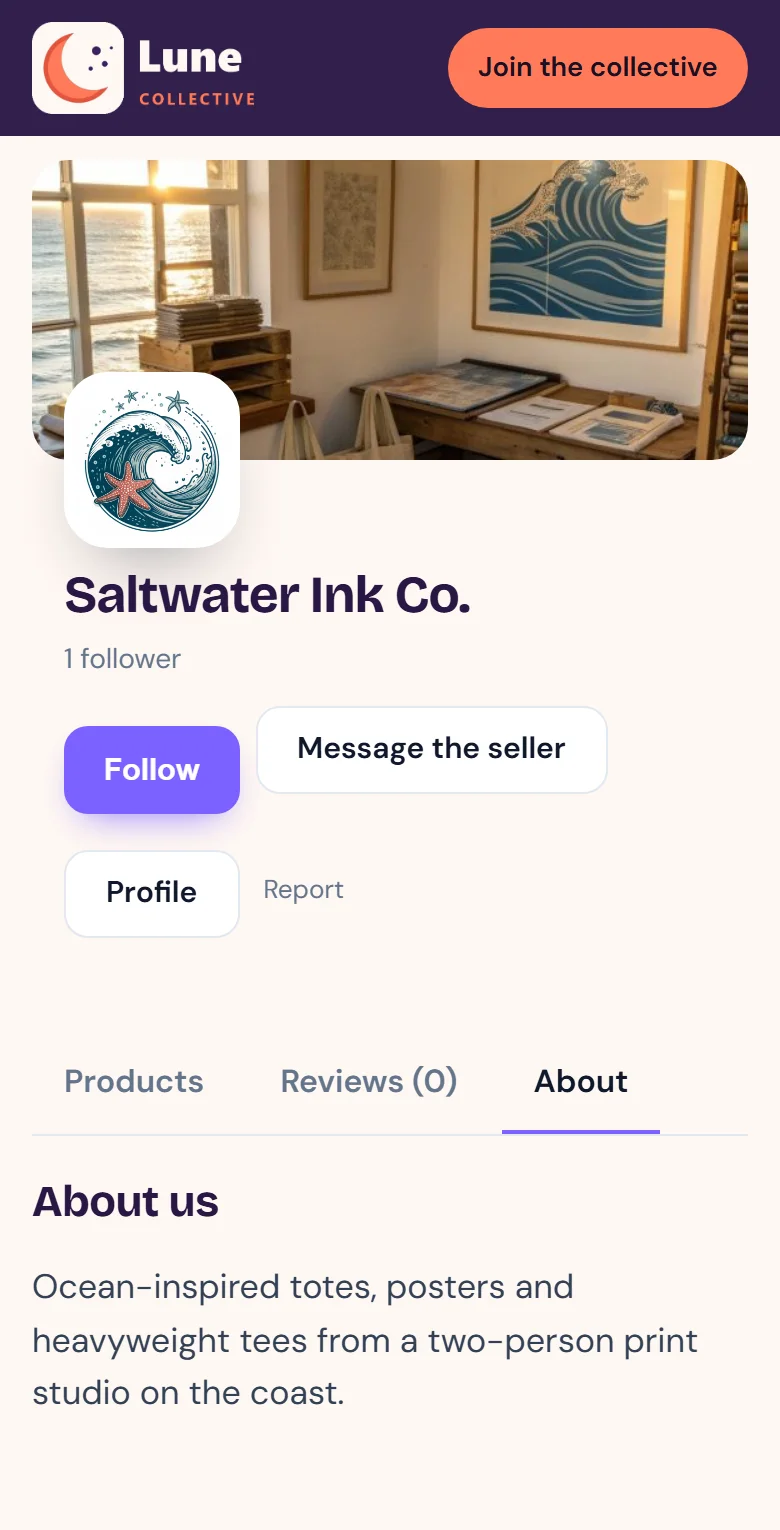
- 5
Every product names its maker and shows more of their work
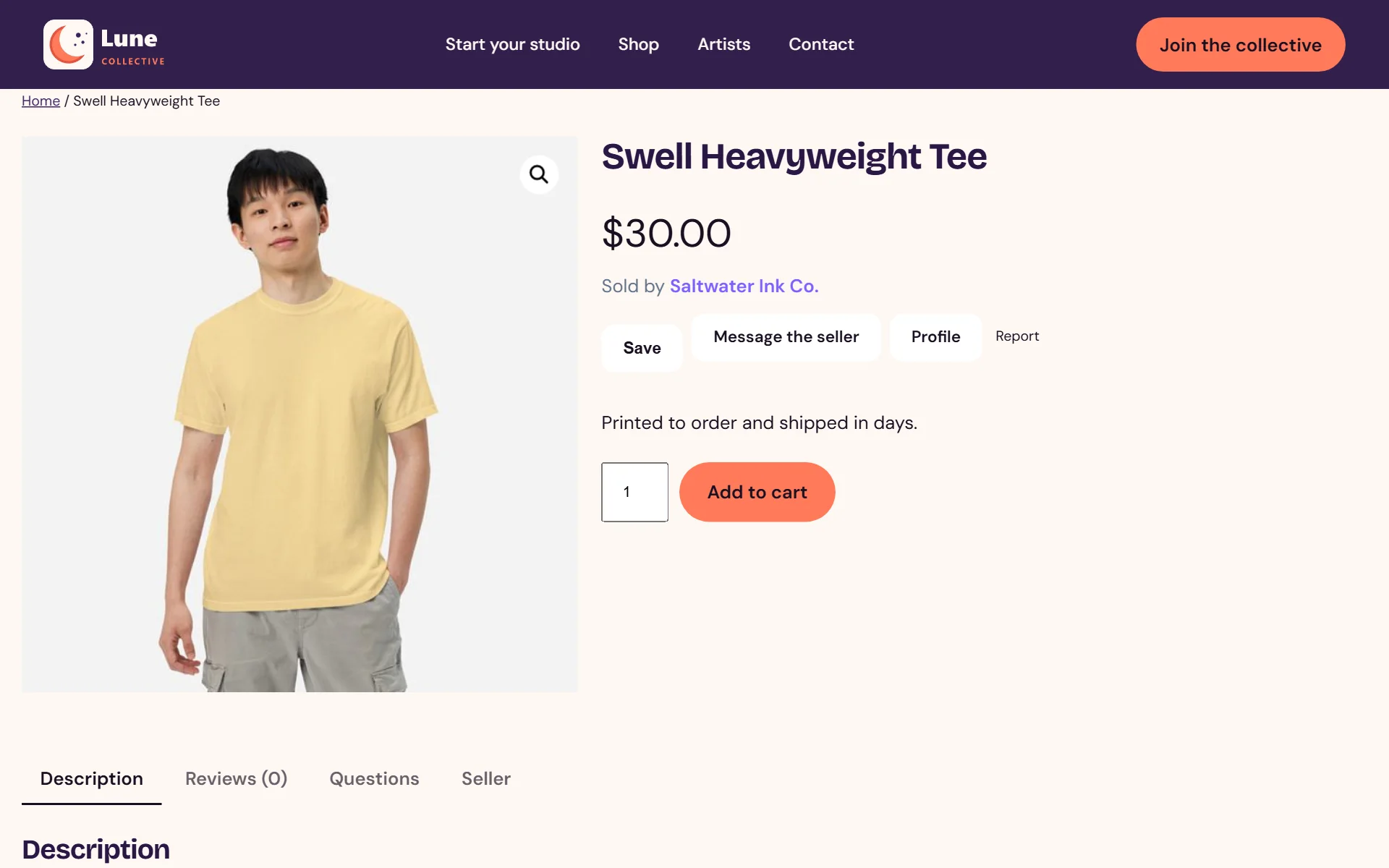
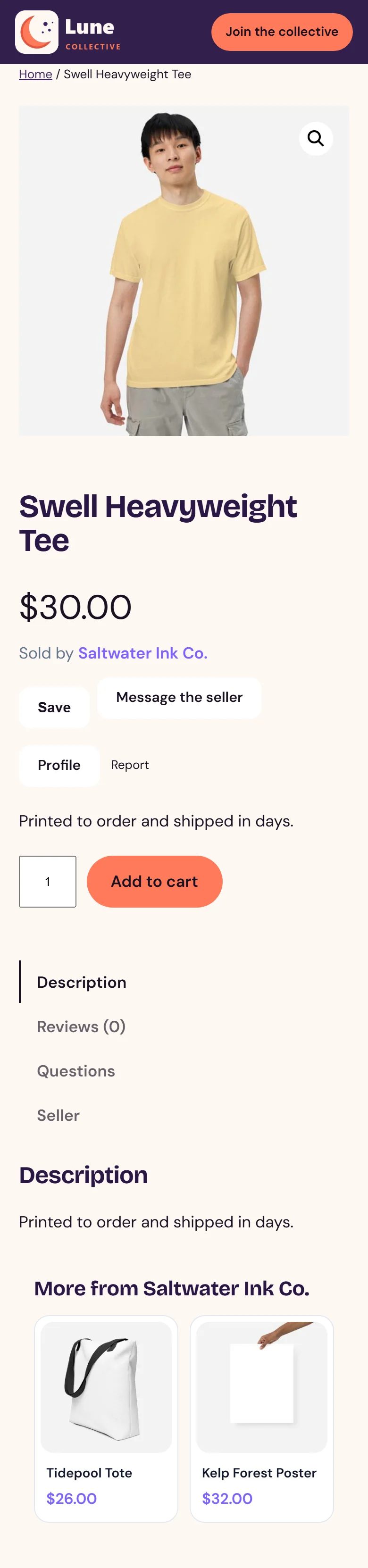
- 6
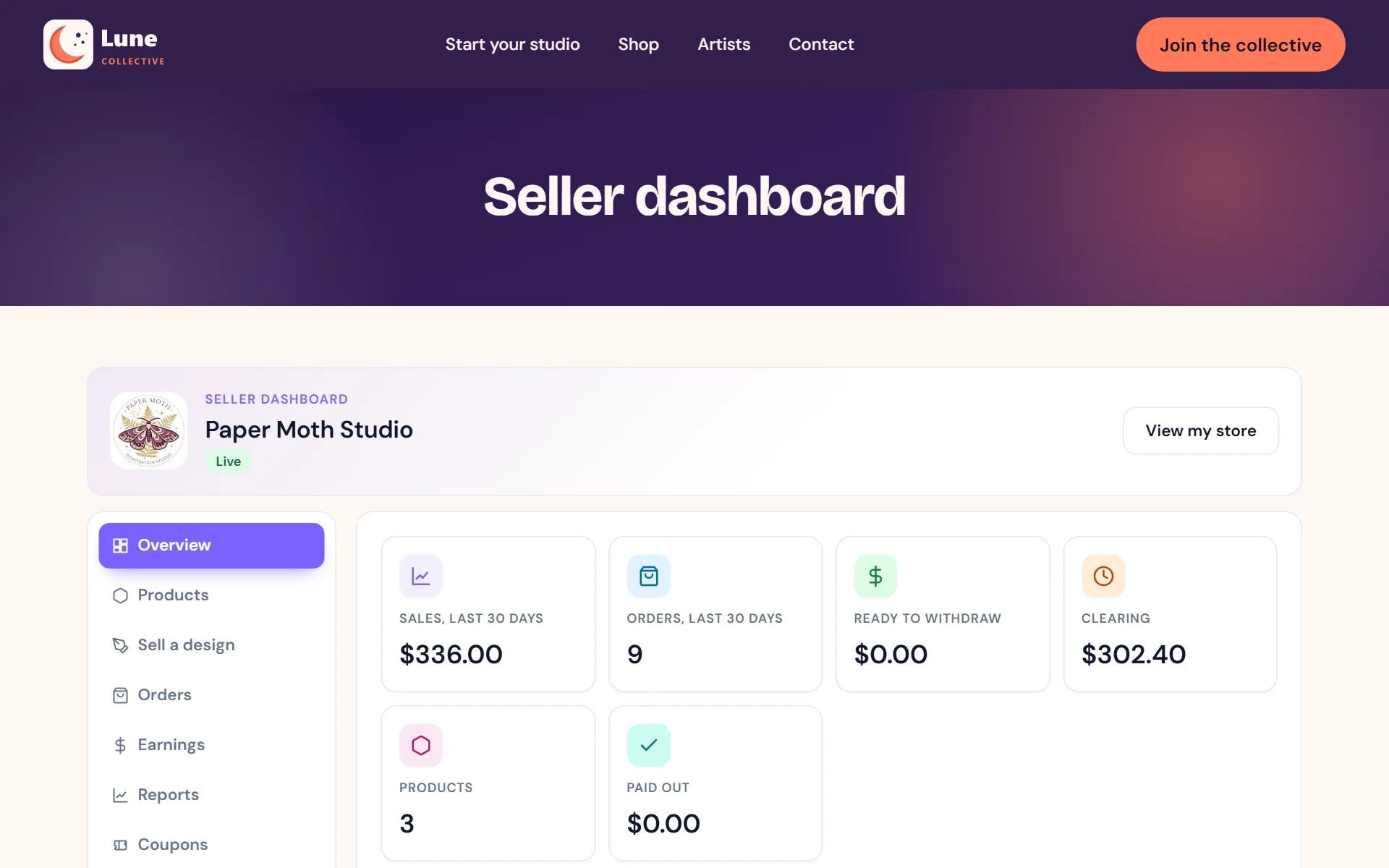
Creators see their sales, orders and earnings in one dashboard

- 7
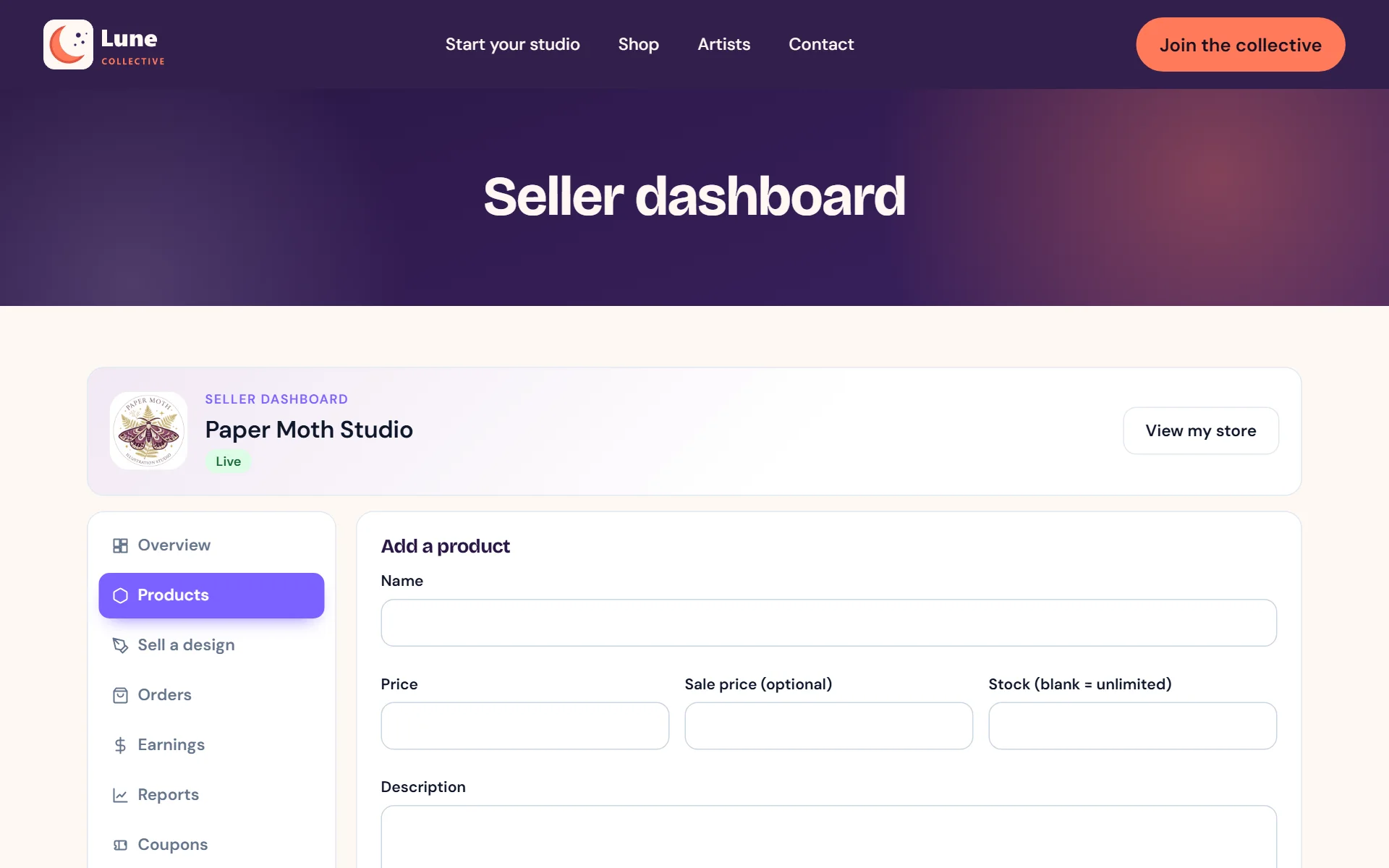
Creators list and update their own products

- 8
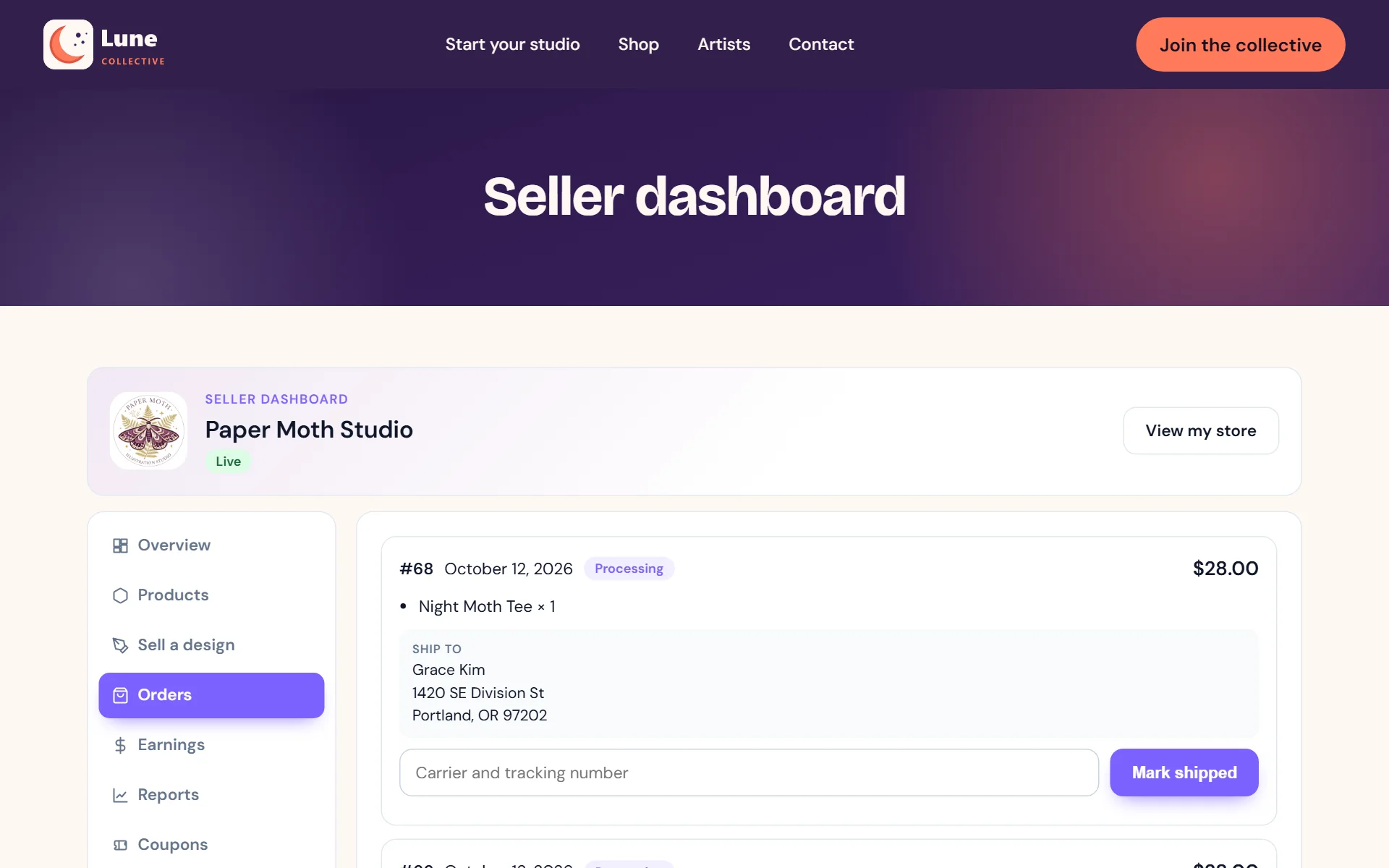
Orders come with the delivery address and a spot for tracking

- 9
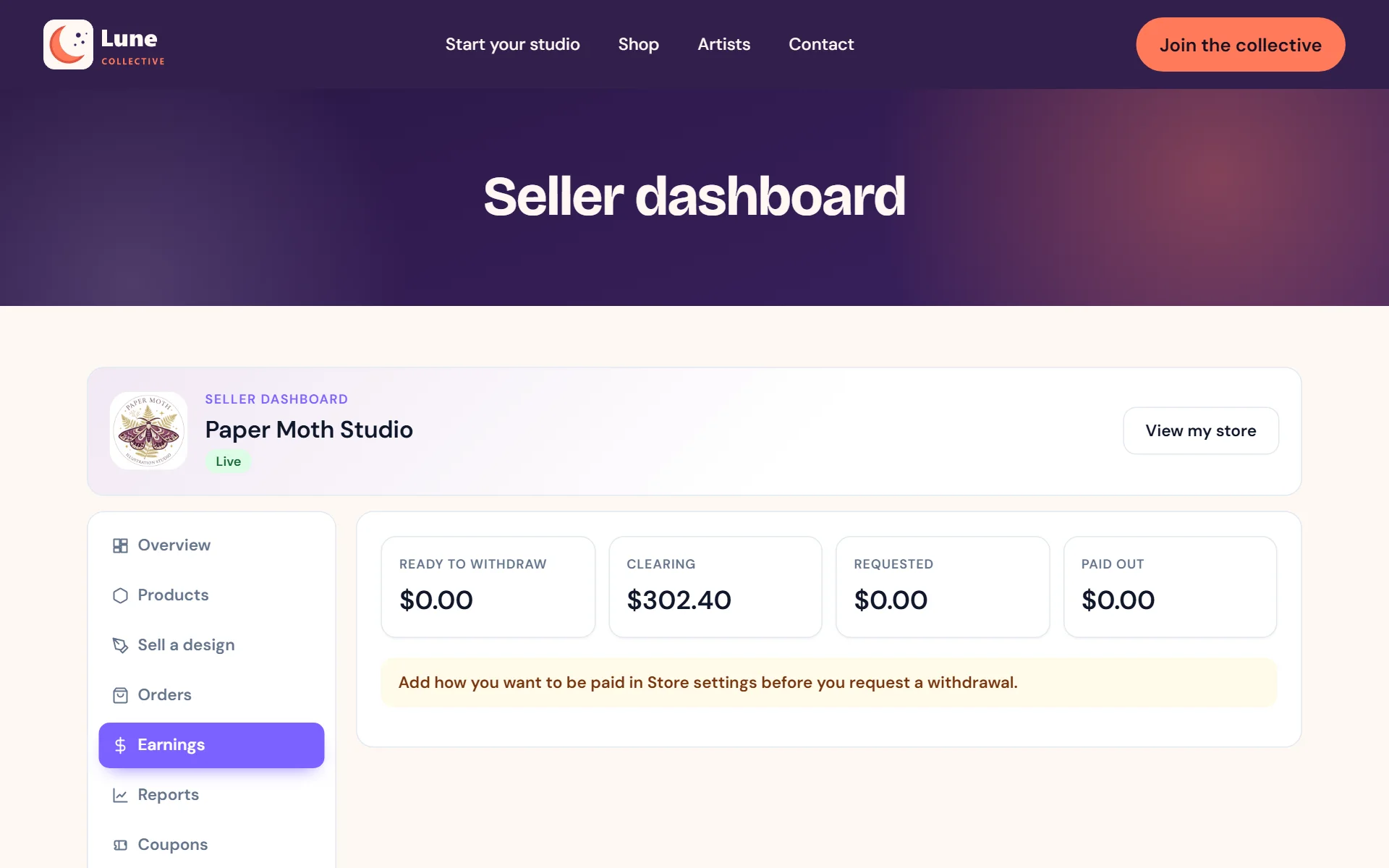
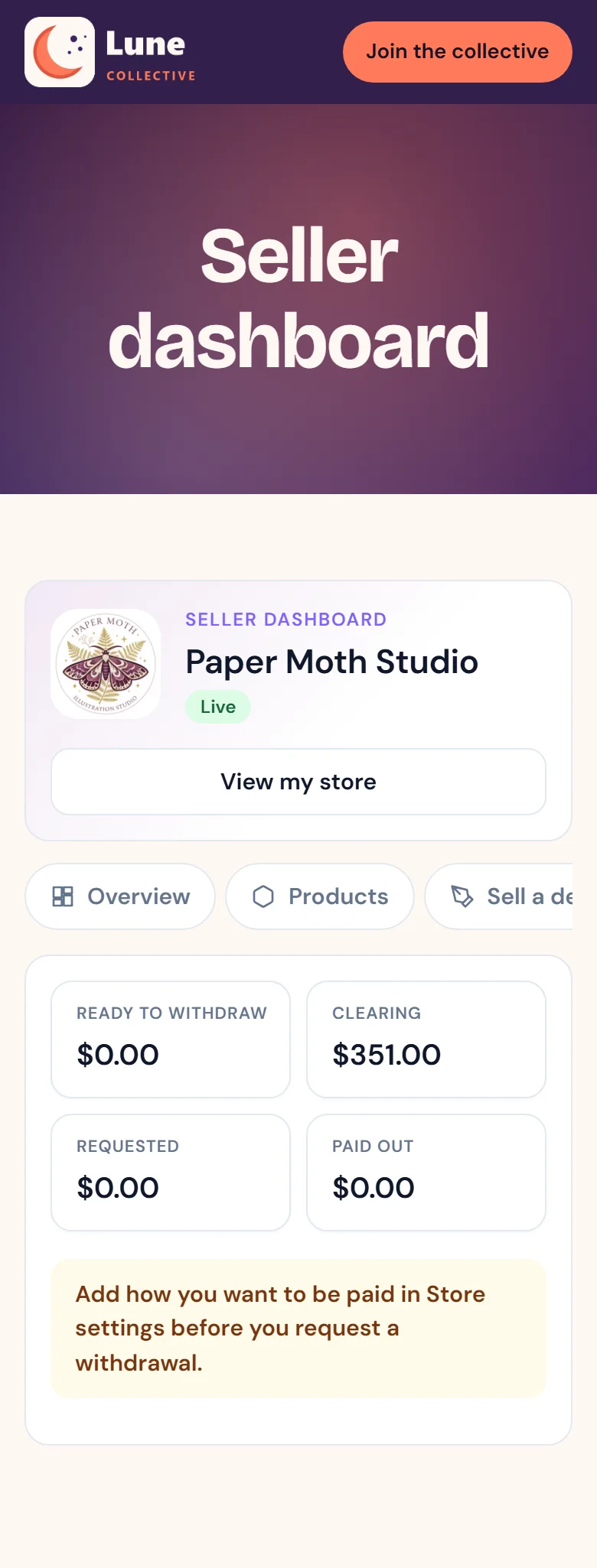
Earnings and payouts at a glance
- 10
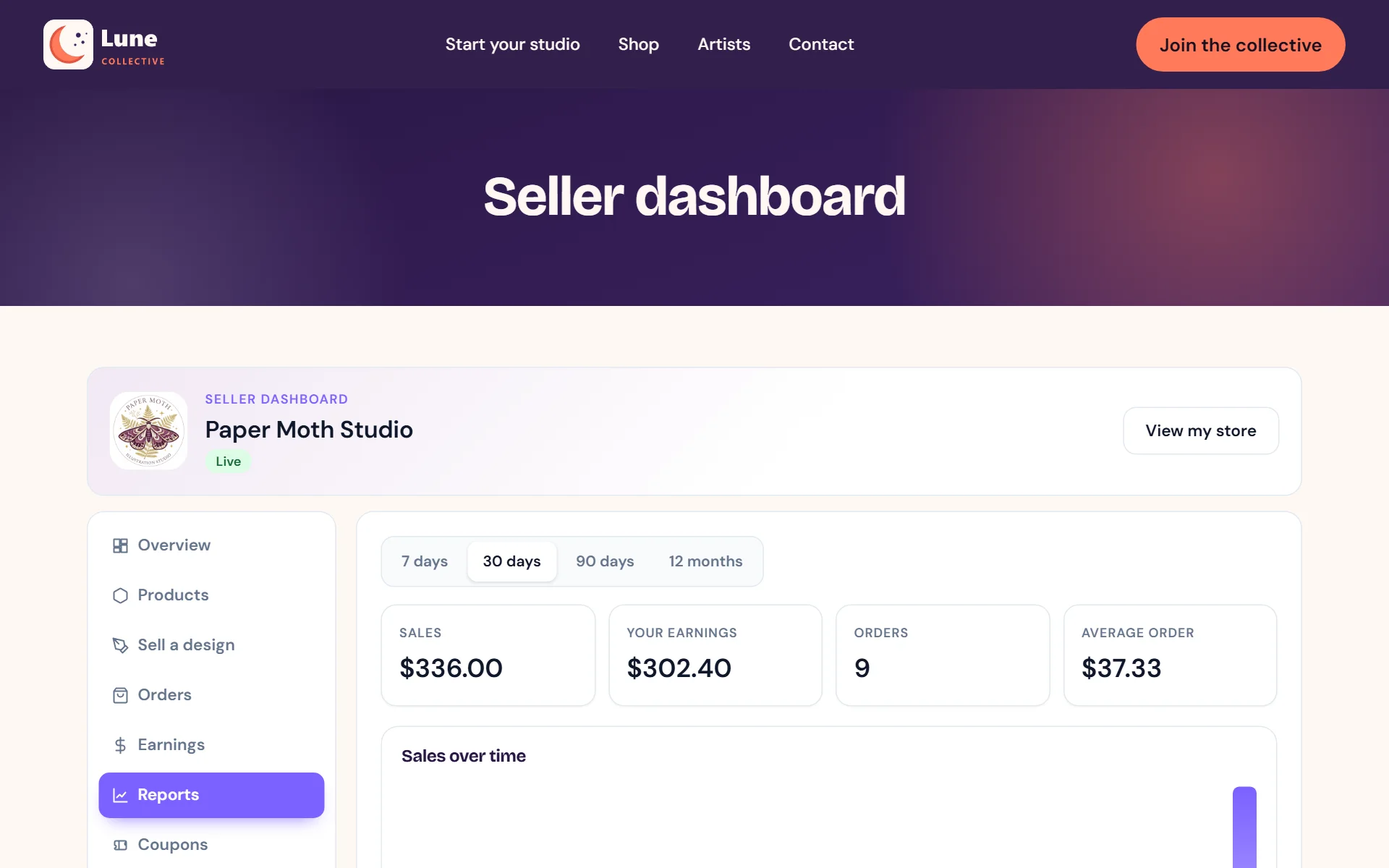
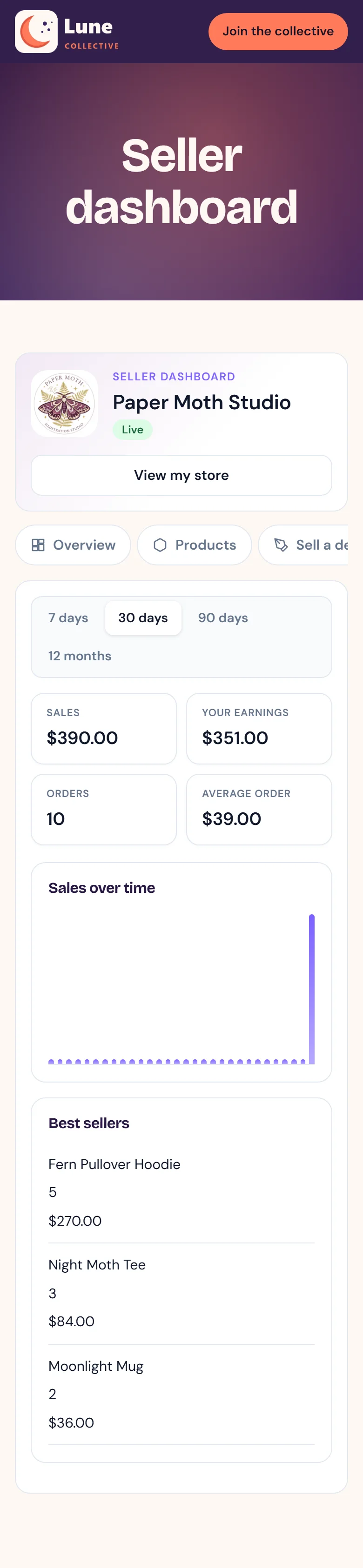
Sales reports by week, month or quarter
- 11
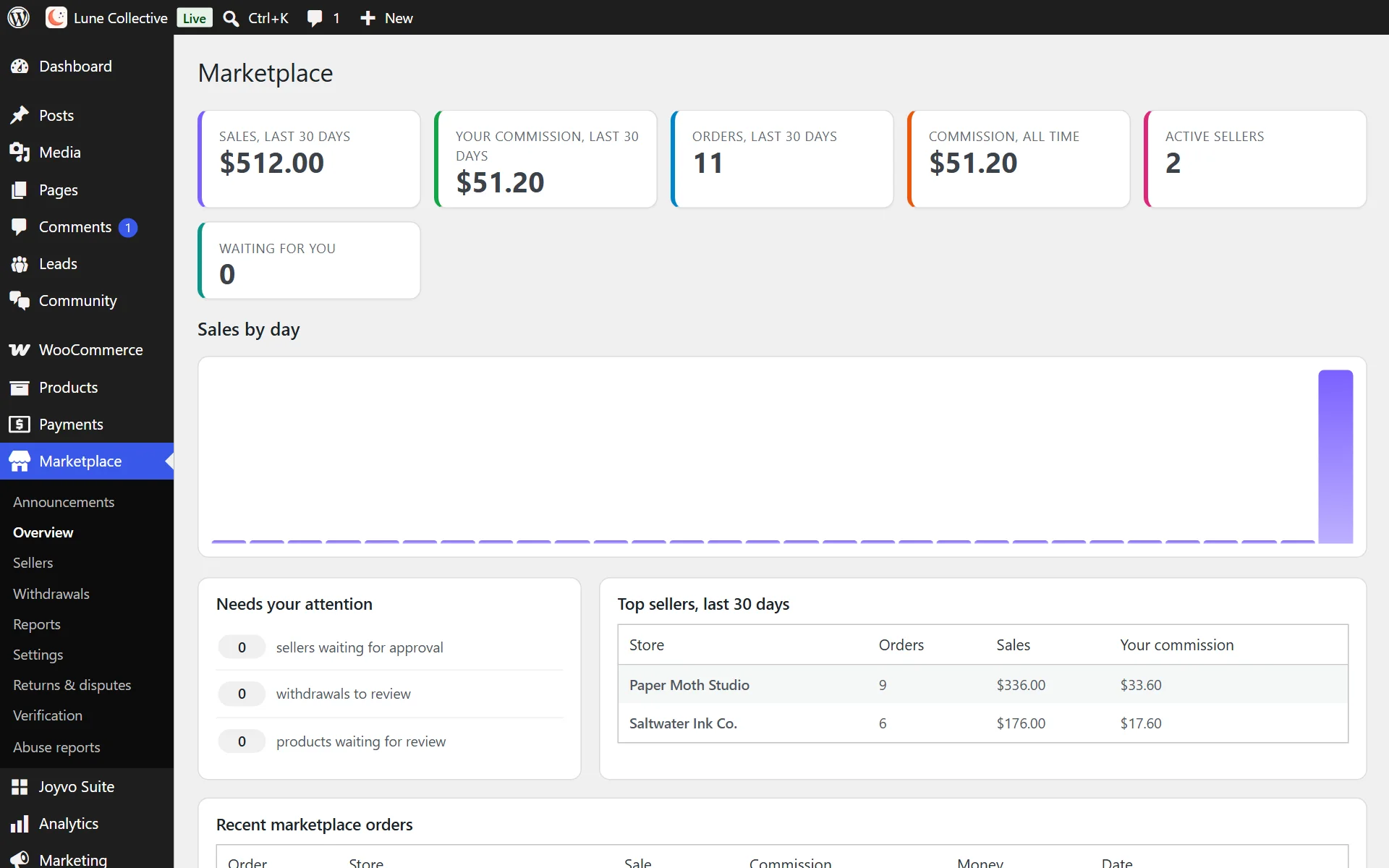
Your marketplace overview - what needs you, top creators, latest orders

- 12
Approve creators, set their cut and feature favourites
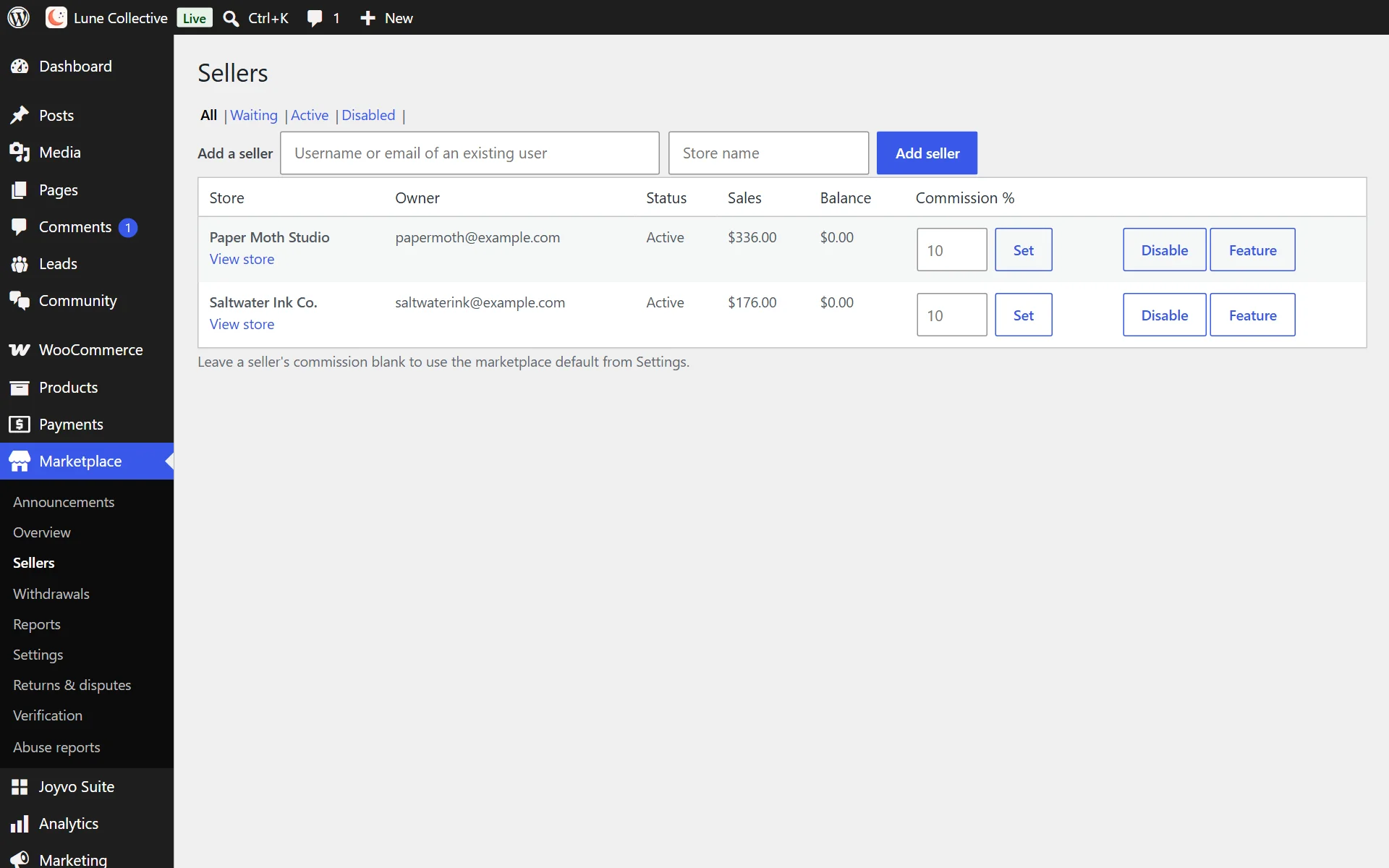
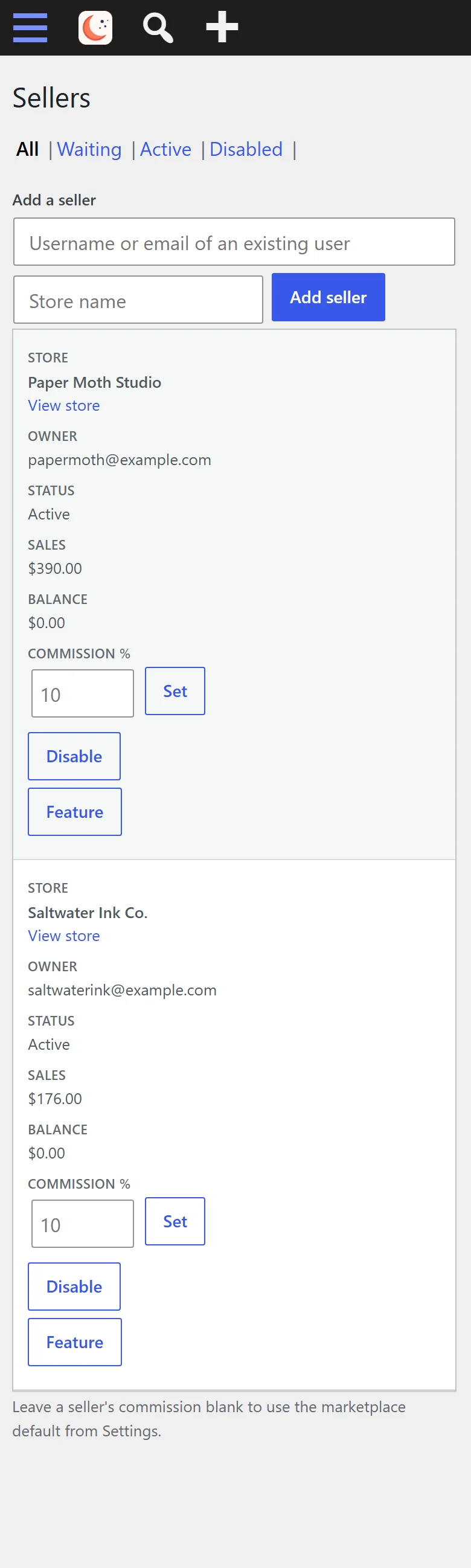
- 13
Review and pay out creator withdrawals
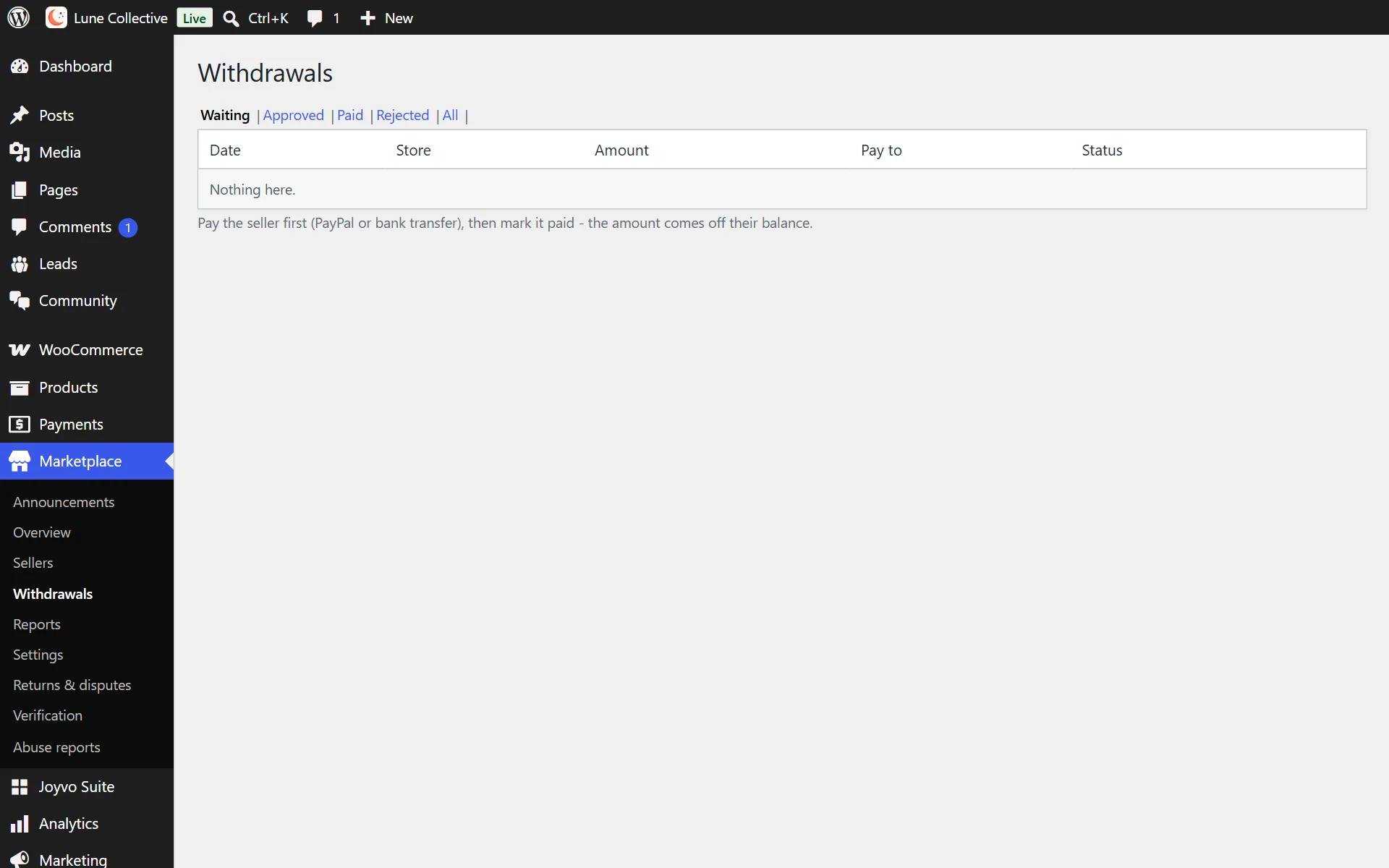
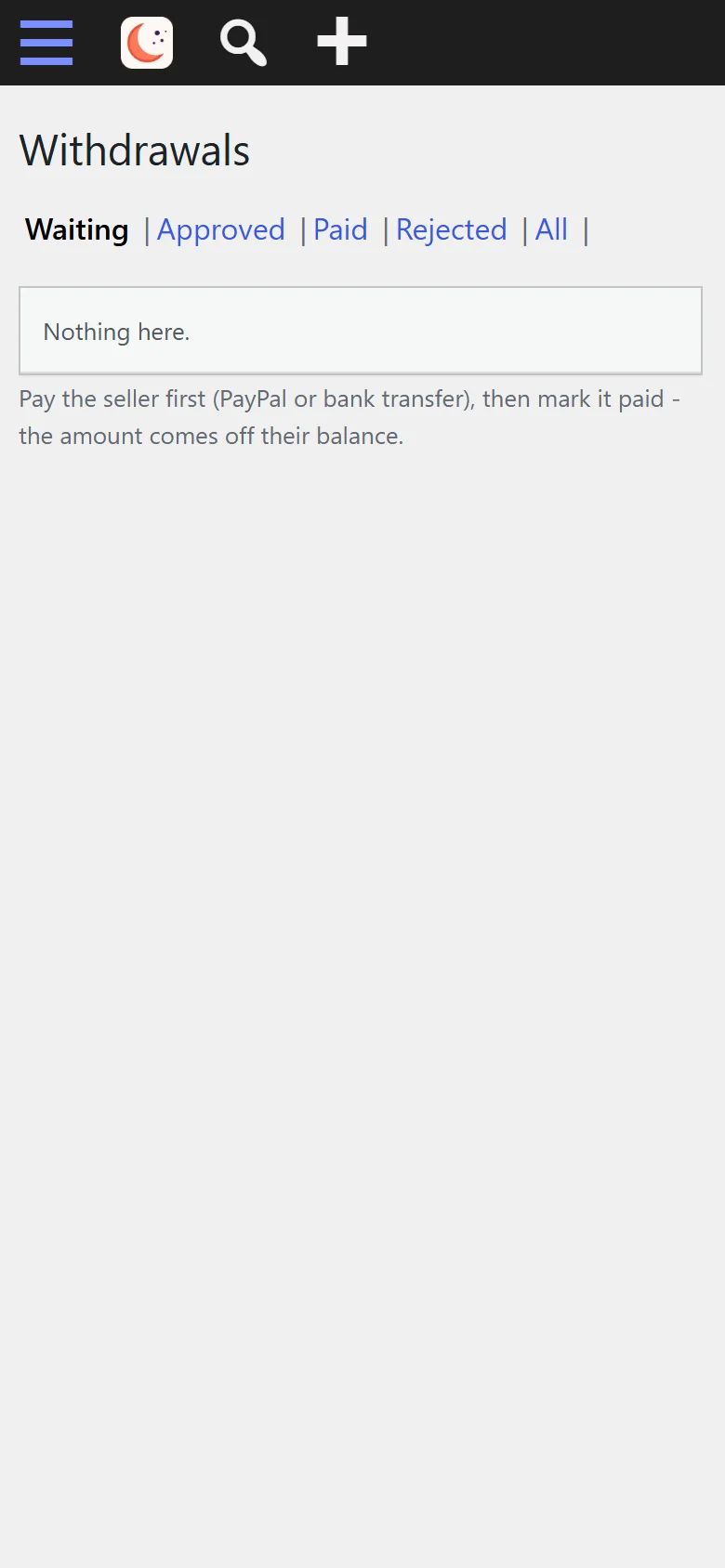
- 14
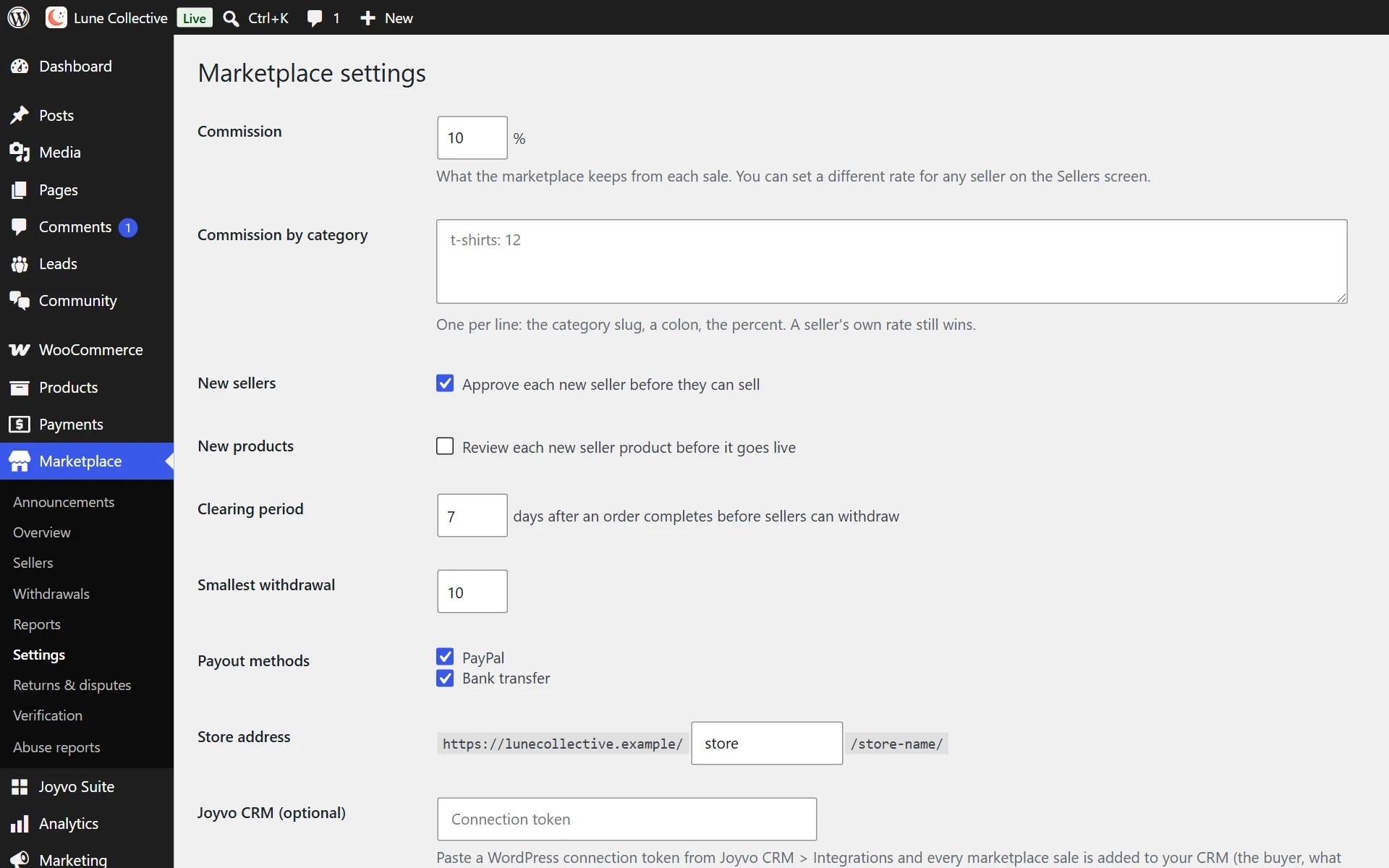
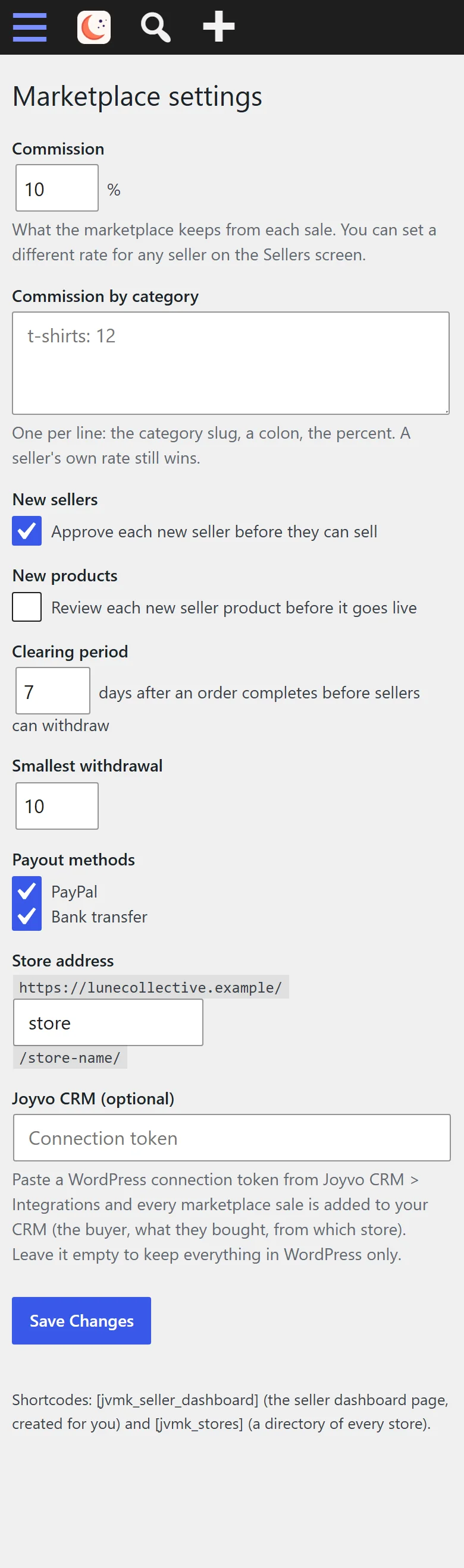
Set your commission, approvals and payout rules
Everything it does
28 features, all included
Sellers 11
- Other people sell on your WooCommerce store - customers check out once for every seller
- Seller sign-up from My Account ("I want to sell"), with optional approval
- A seller dashboard with a sidebar menu, coloured stats, a 30-day sales chart, top products, recent orders and a profile checklist
- Sellers add and edit products with photos and options (size, colour...), each with its own price and stock
- Spreadsheet import and export for seller products
- Sellers see their orders with the shipping address and mark them shipped with tracking
- Seller reports for 7 days, 30 days, 90 days and 12 months, with best sellers
- Sellers' own coupons, replies to reviews and answers to product questions
- Sellers' own shipping rates, vacation mode and a verified-seller badge
- A seller team: managers and order clerks
- Sell a design: with Joyvo Product Designer, sellers put artwork on your products at their price - never below yours
Store pages 4
- A store page for every seller with logo, banner, about, rating, followers and policies - in your theme's header and footer, block themes included
- Products, Reviews and About tabs, search, categories, sorting, opening hours, address, phone and social links
- A store directory with banners, ratings, search, sorting and featured stores
- "Sold by" on every product and in the cart, a Seller tab and "More from this store"
Shoppers 3
- Shoppers follow stores, save products, message a seller, ask questions and report listings
- With Joyvo Community: "Message the seller" opens a real conversation on the seller's profile, one follow covers store and seller, and new products reach the seller's feed
- Returns and refund requests, and disputes you can step into
Money 4
- Commission per seller and per category, on top of your default rate
- Each seller line is recorded when paid, clears after your clearing period, then can be withdrawn
- Refunds, cancellations and failed orders are voided automatically - partial refunds take exactly the seller's share back
- Withdrawals by PayPal or bank: approve, mark paid, reject with a note, or pay every approved one at once
You run it 6
- wp-admin overview: a to-do list, sales, your commission, top sellers, recent orders and a 30-day chart
- Approve or disable sellers, verify them and feature their stores
- Reports per seller for any period, with a CSV download
- Announcements to every seller
- Emails to sellers for new orders, approval and payouts; emails to you for new sellers and withdrawal requests
- Optional sync to Joyvo CRM: buyers and sellers become contacts
Who it is for
Creator shops, collectives and communities that want other artists and makers selling alongside them.
Live in 0 steps
Version 1.3.1 · WordPress 6.0+ · PHP 7.4+
Questions people ask
Does each creator need their own WooCommerce?
No. Creators sell inside your shop, each with their own store page and dashboard on your site.
How are creators paid?
They enter PayPal or bank details and ask for a withdrawal when their sales clear; you send the money and mark it as paid.
Can some creators pay a lower cut?
Yes - give any creator their own commission, or leave it empty to use your standard rate.
What if an order is refunded?
Refunded, cancelled and failed orders drop out of the creator's balance on their own, so the numbers always match.
Pick your plan
Every plugin is free with your Joyvo account. Give Pro a 14-day free try on any site - cancel any time.
Hosting with Joyvo? Every Pro feature is already on for your sites.
What's new
Current version 1.3.1
Version 1.3.12026-10-11Latest
- The admin pages fit a phone: sellers, withdrawals, reports and orders show as labelled cards.
Open your store to every creator you love.
Free with your account. Install it in minutes - your first result shows up today.