

Joyvo Product Designer · WordPress + WooCommerce
Let customers design your products - and sell them.
Shoppers customise any product on your WooCommerce store with your art, text and photos. You get the order; it is printed and shipped for you.
- Free - Pro from $19/mo
- Works with any theme
- Live in 4 steps
24
templates ready to customise
6
places to print on each item
4
pricing options per design
100%
white-label - only your brand
Why creators switch to it
A proper design tool inside your shop
Words, artwork, uploads and 24 templates on the real product - front, back, sleeves and labels - without anyone leaving your site.
Charge the way print shops do
Extra print areas, screen-setup ink colours, bulk discounts and rush fees - all priced from the actual design.
Print it your way
Use the print-ready file in your own studio, route it to your own Printful, Printify or Gelato account, or let us print and ship it.
See it working
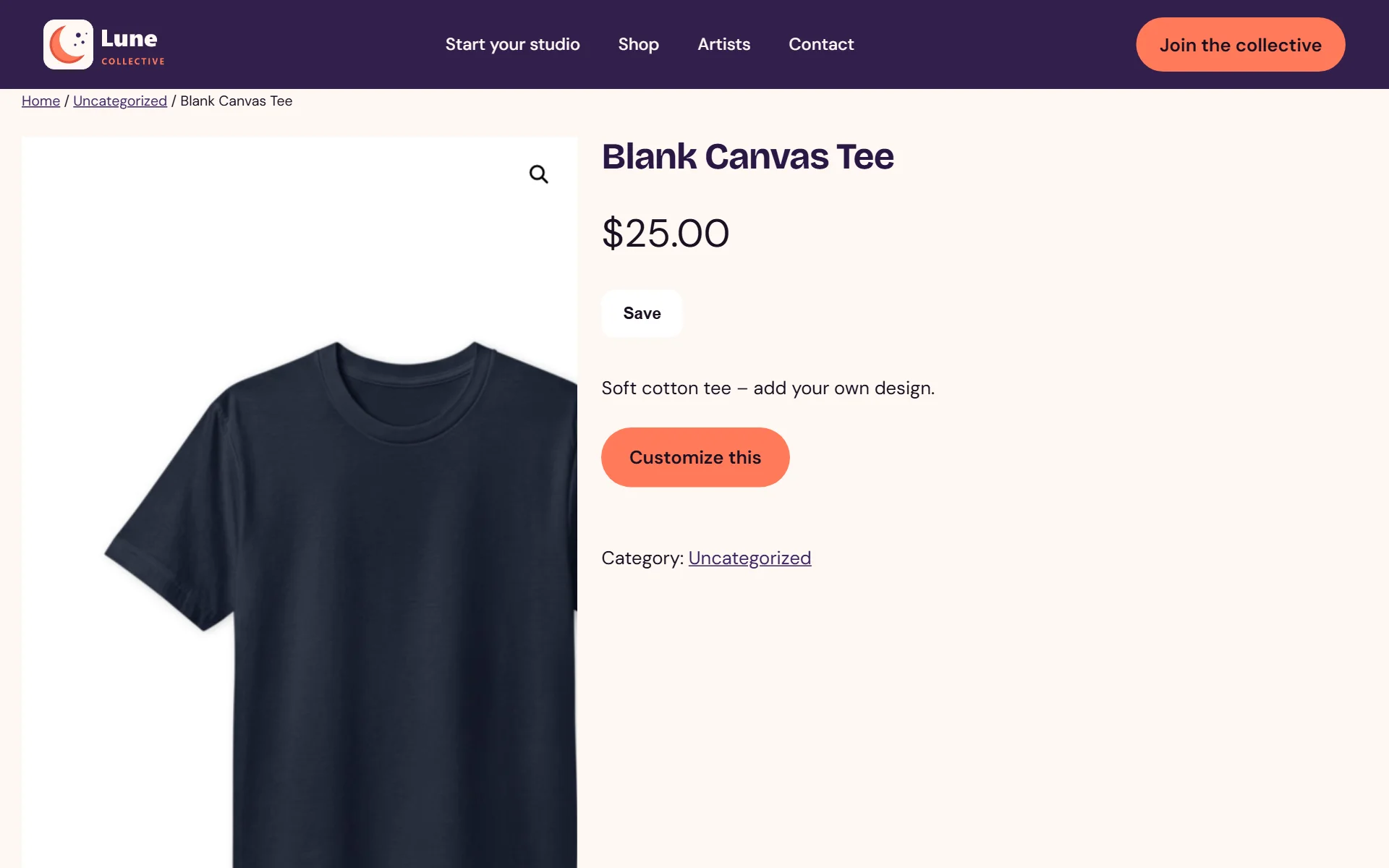
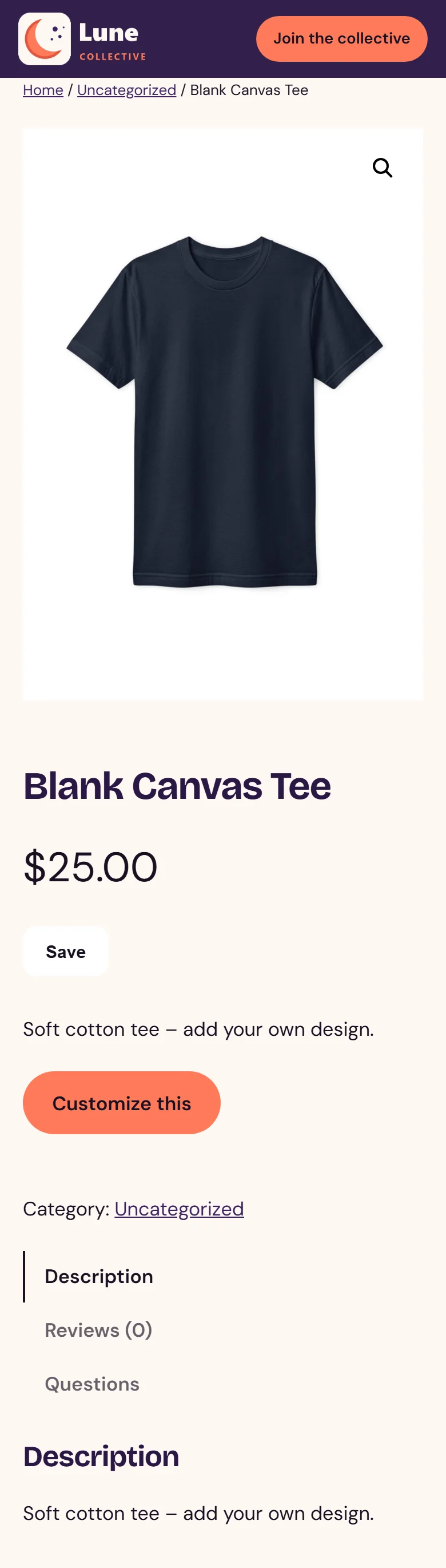
Real screens from a WordPress site running it - on a computer and on a phone, nothing mocked up. Tap any to look closer.
On a computer
On a phone
Swipe for more screens →
How it works
- 01
Turn on Customize for a product
Install it, enter your key and turn the designer on for whichever products you pick.
- 02
Fans design, then approve
They add words, artwork and photos, preview it on the product and sign off a proof before paying.
- 03
The order and the file come to you
Every order comes with the approved design and a print-ready file - print it yourself, pass it to your own Printful, Printify or Gelato account, or let us print and ship it.
Step by step
Joyvo Product Designer, one screen at a time
15 steps from first click to done - real screens on a computer and on a phone.
- 1
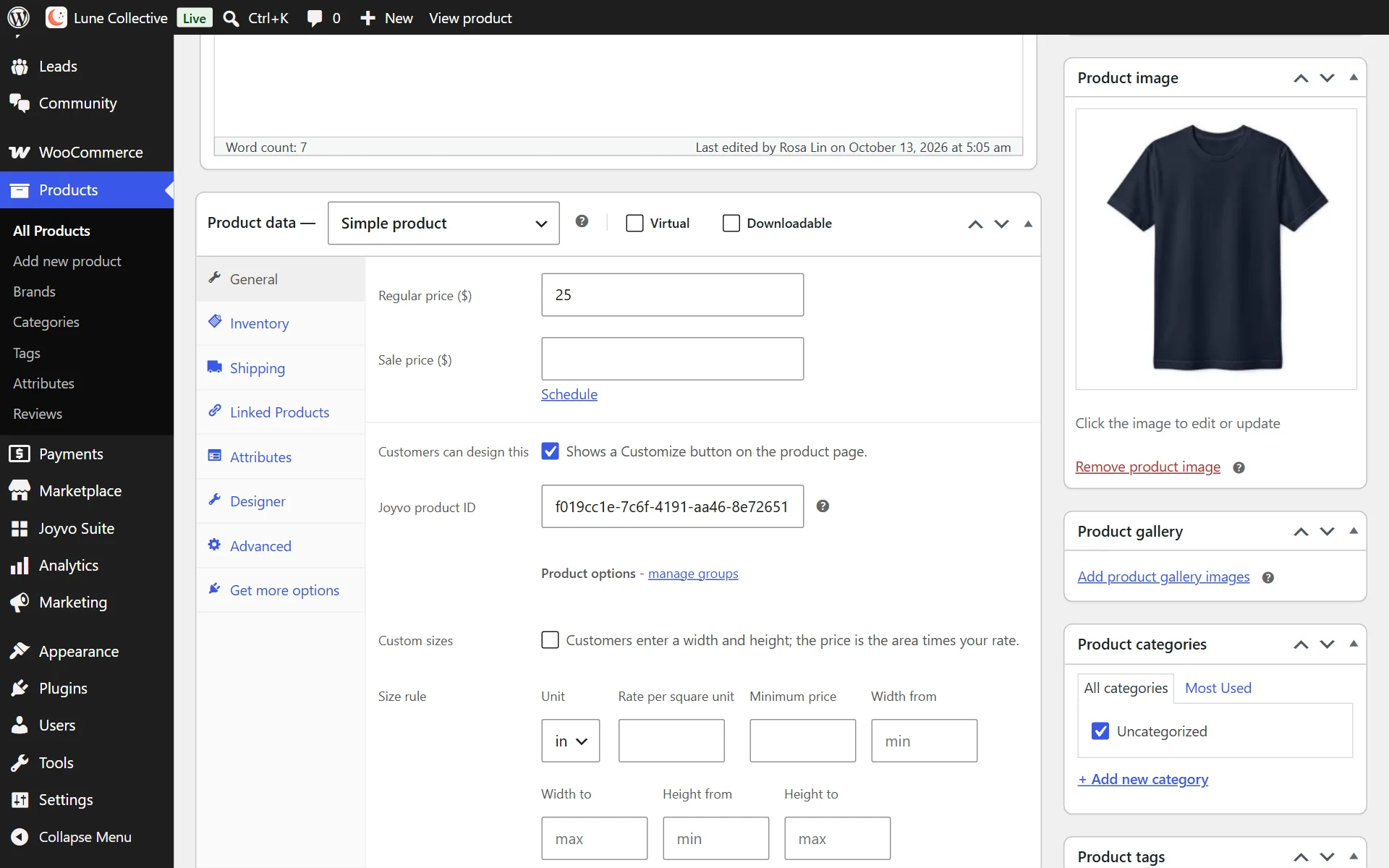
Products get a Customize this button
- 2
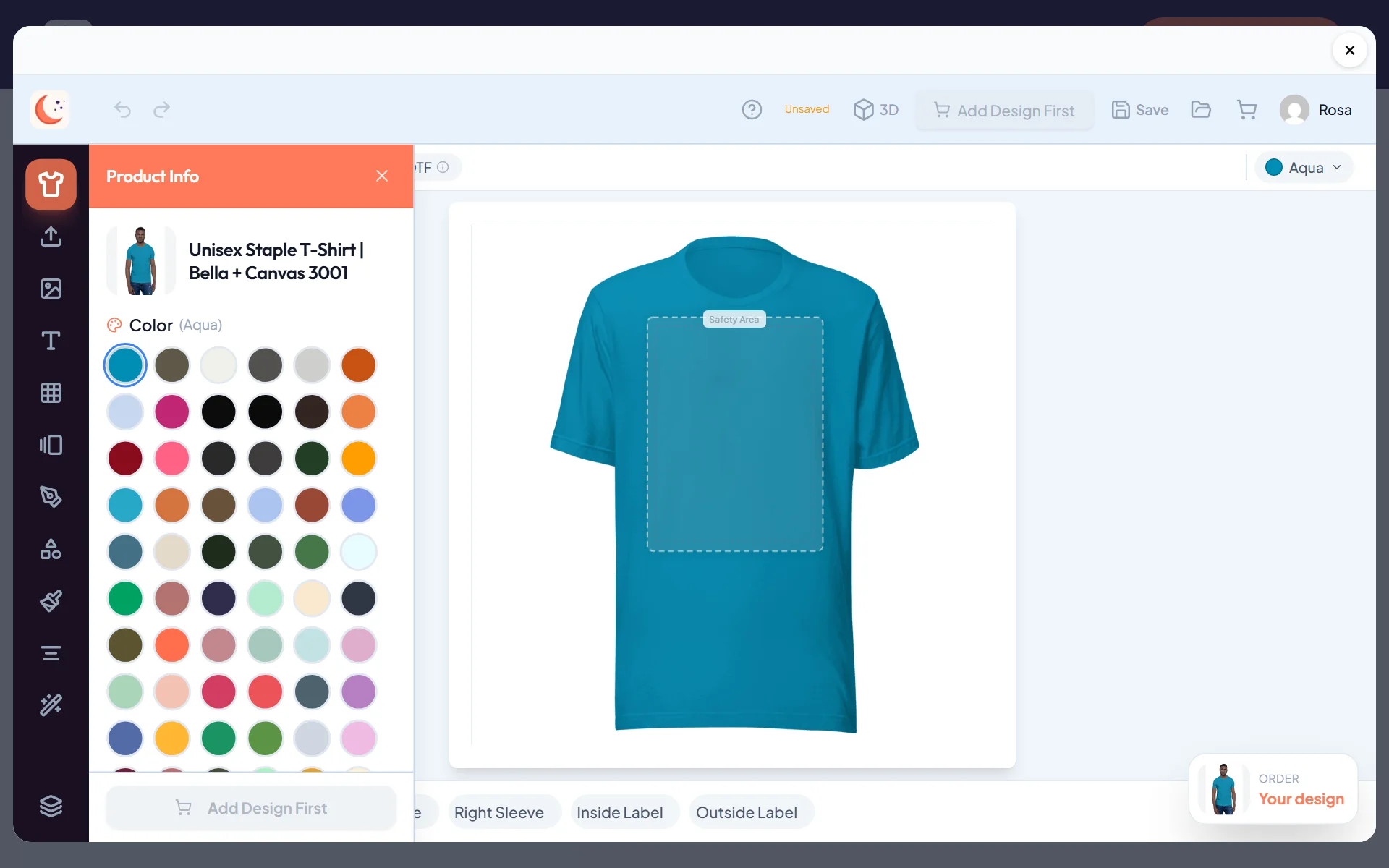
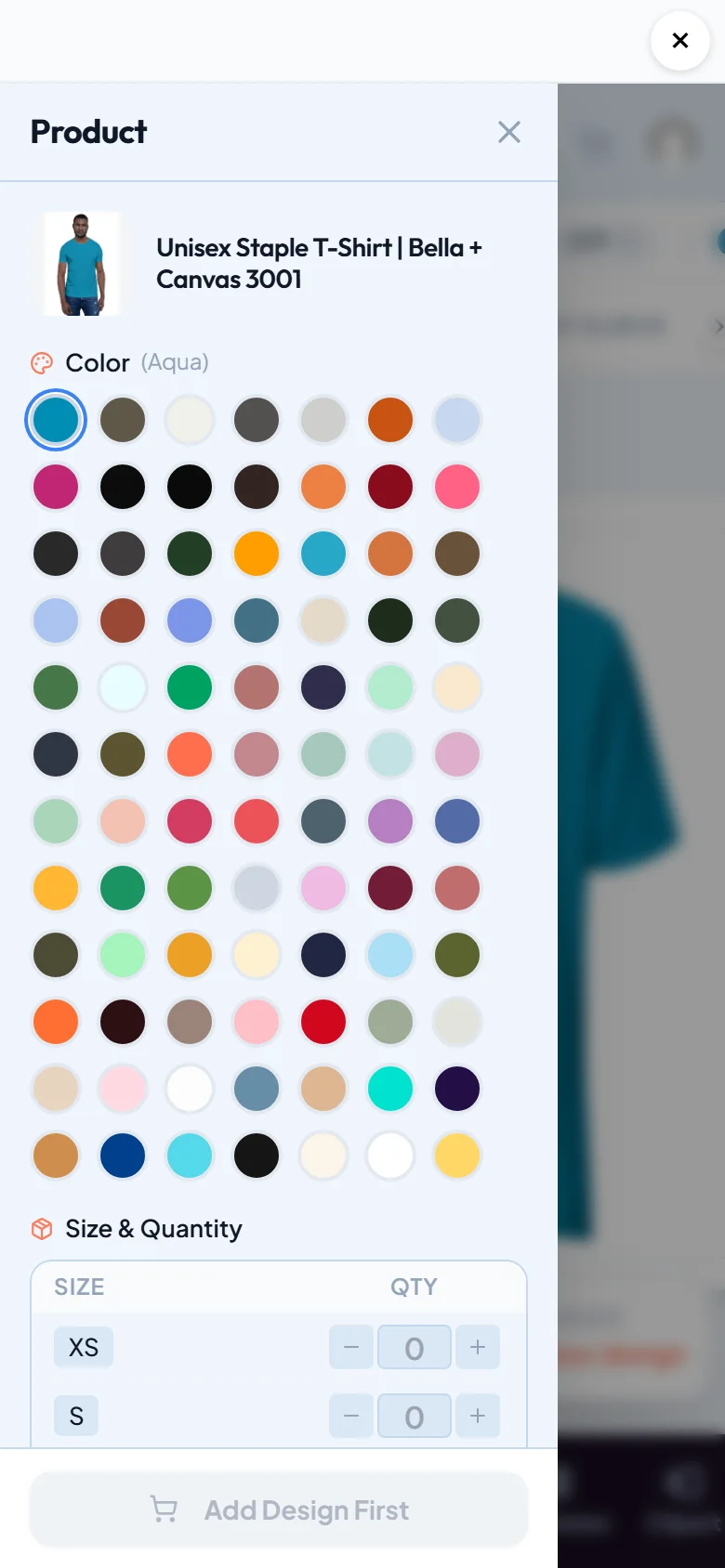
The whole designer opens inside your shop, and shoppers stay logged in
- 3
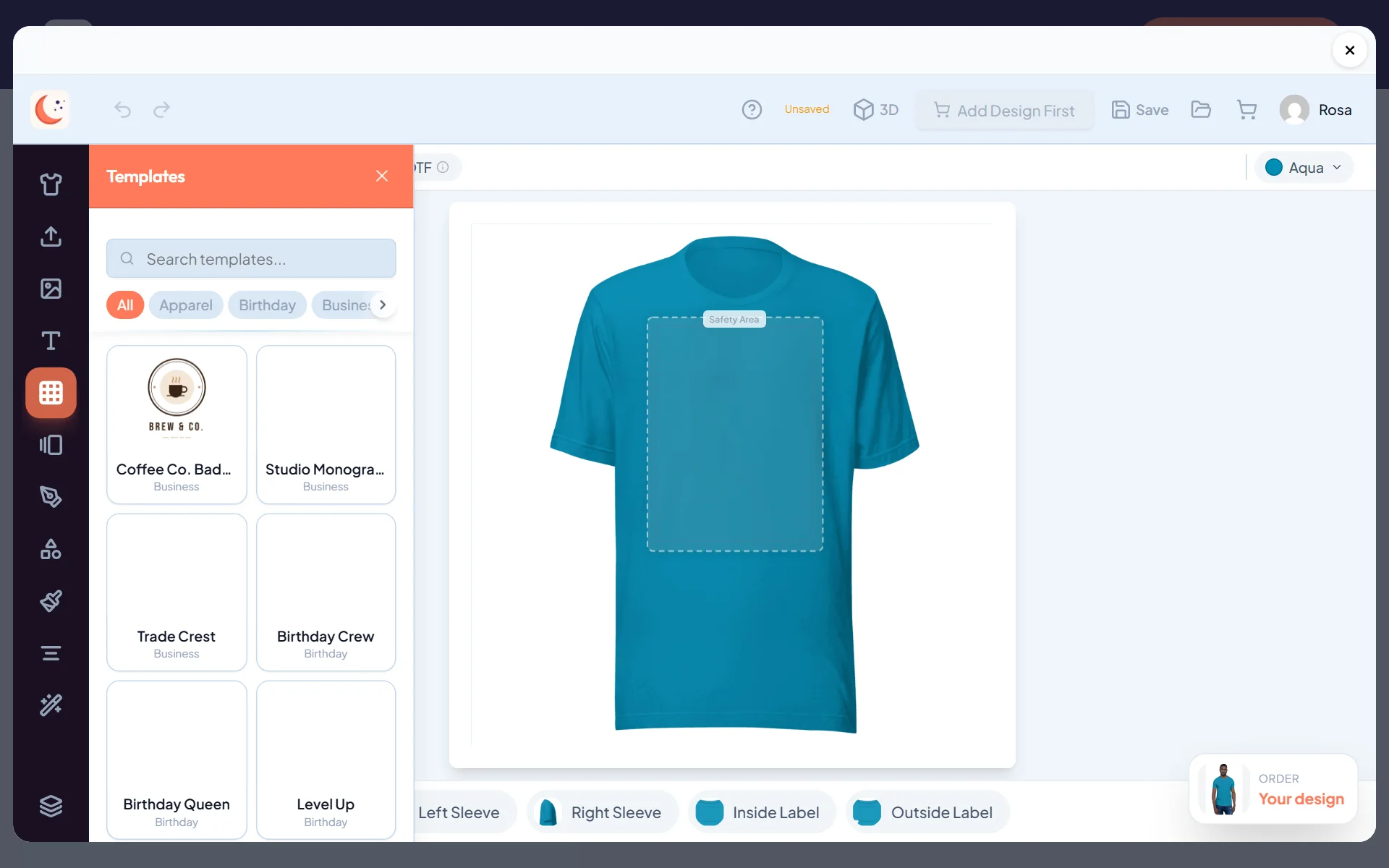
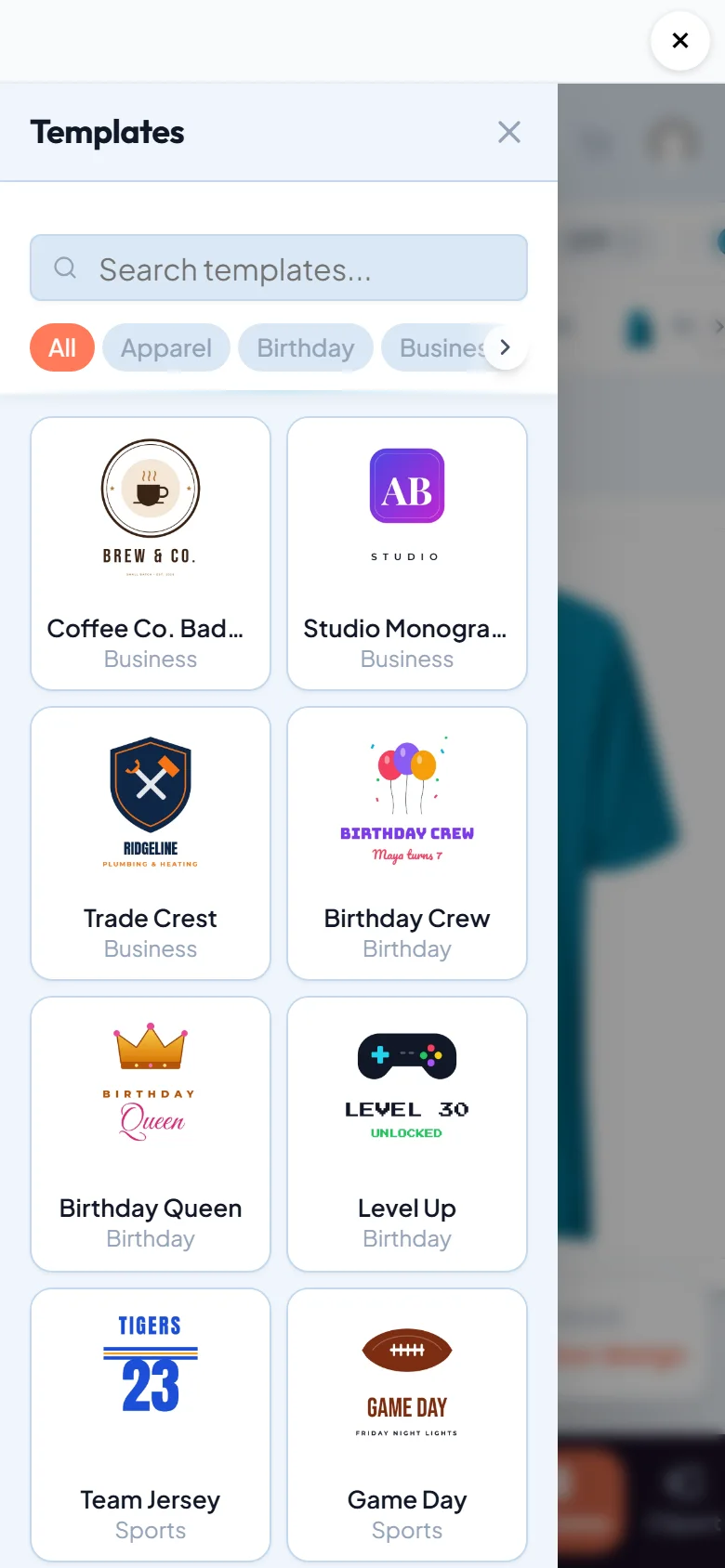
Templates to start from in a tap
- 4
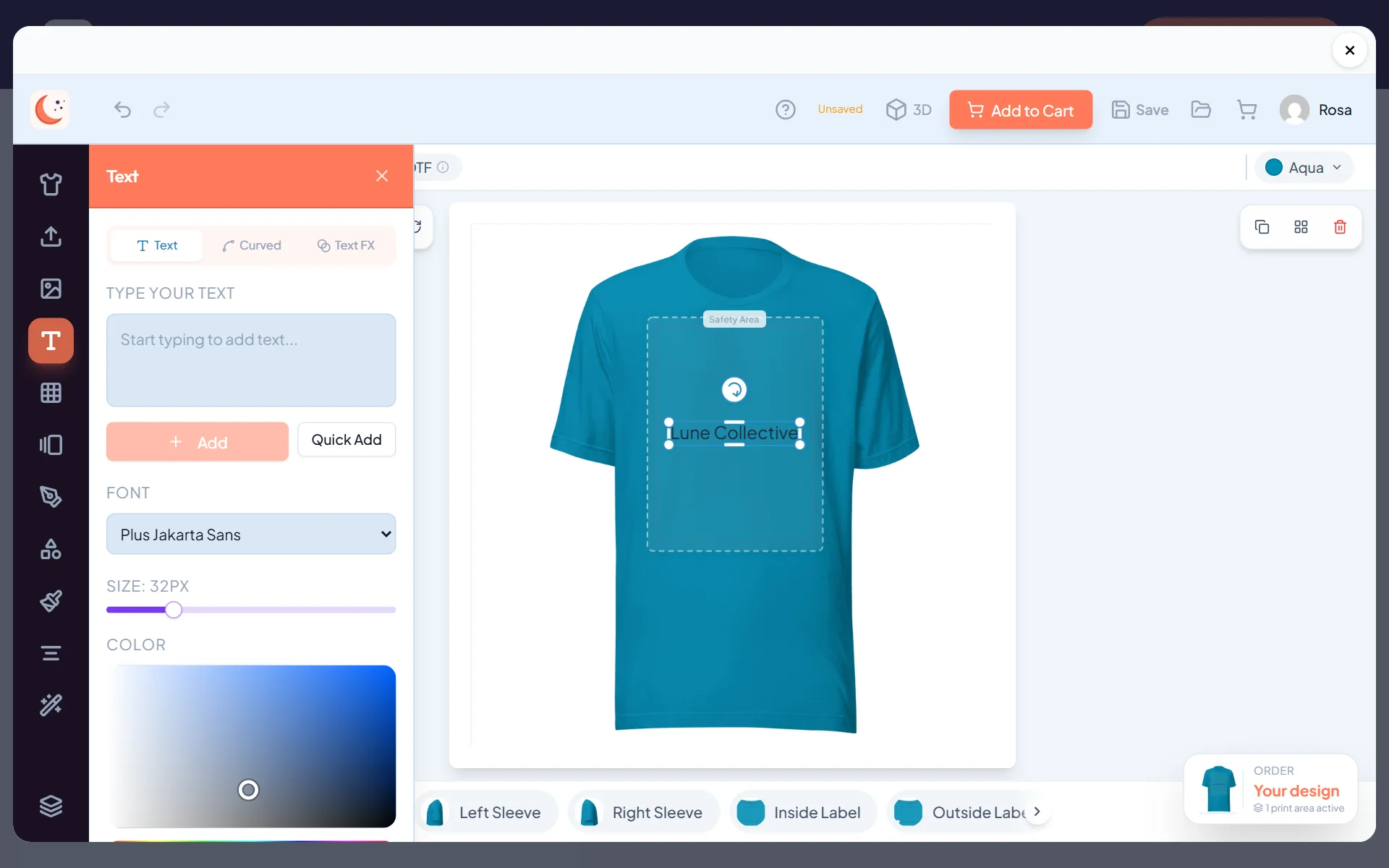
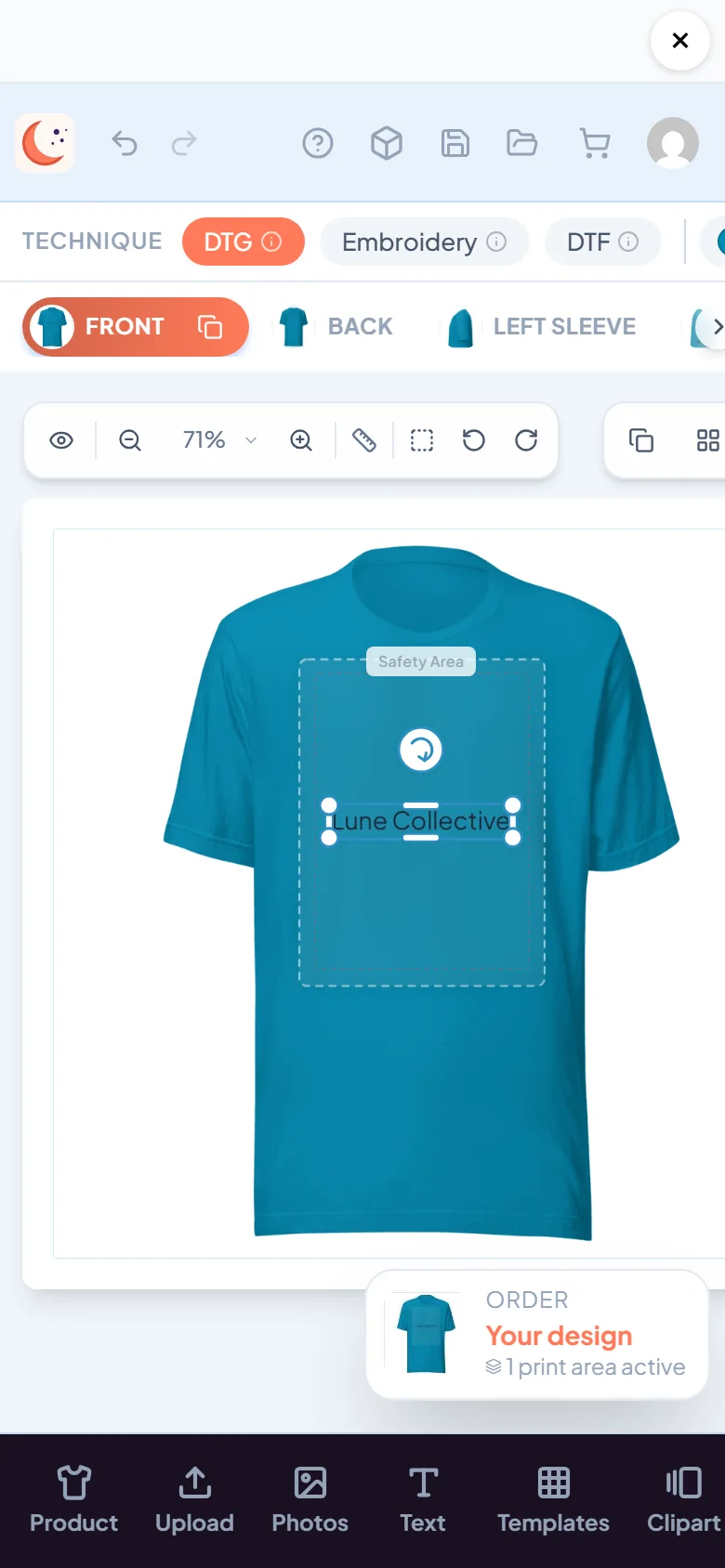
Words, curved text and fun text effects
- 5
AI art, background removal and other tools
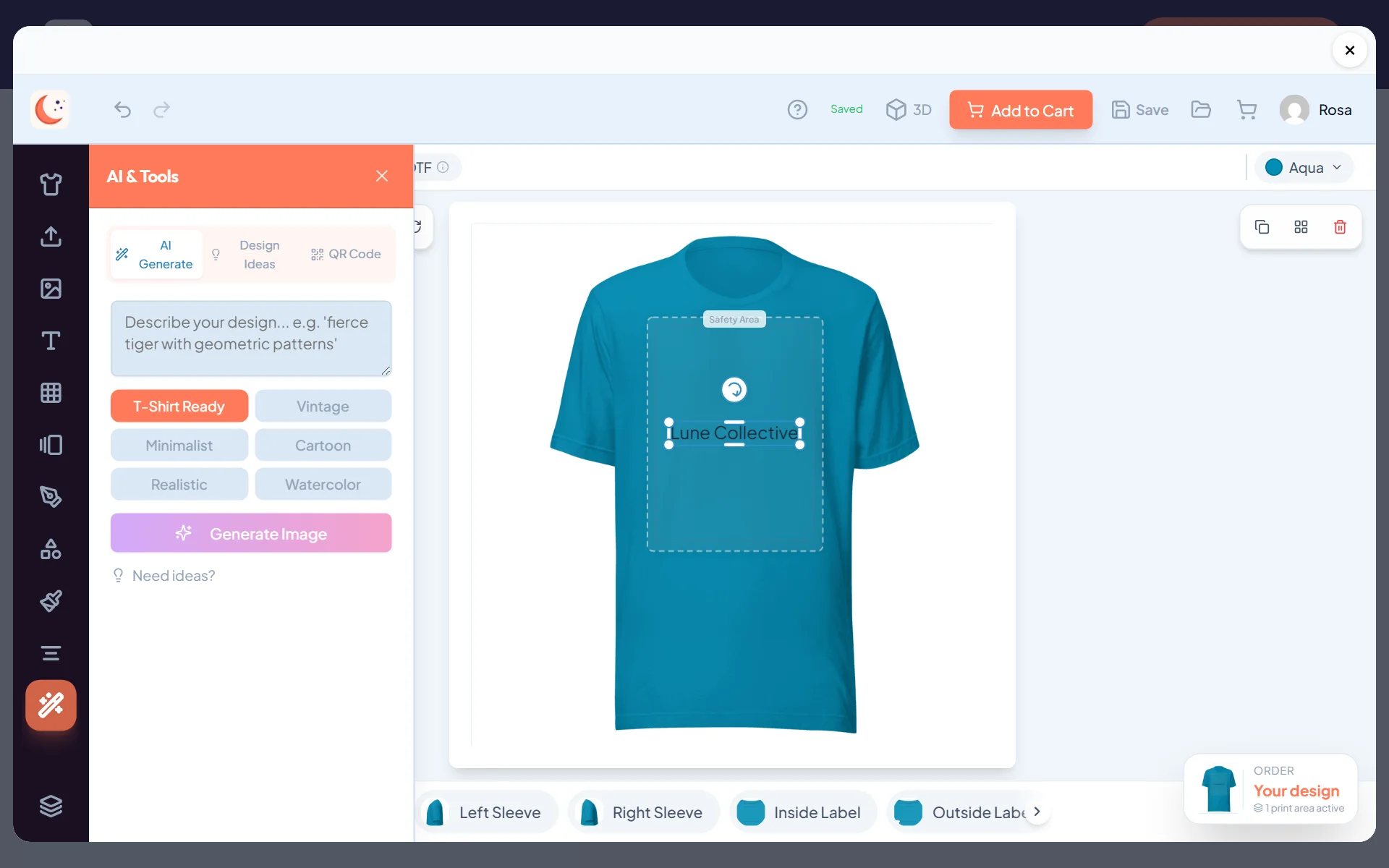

- 6
Try every product colour without starting over
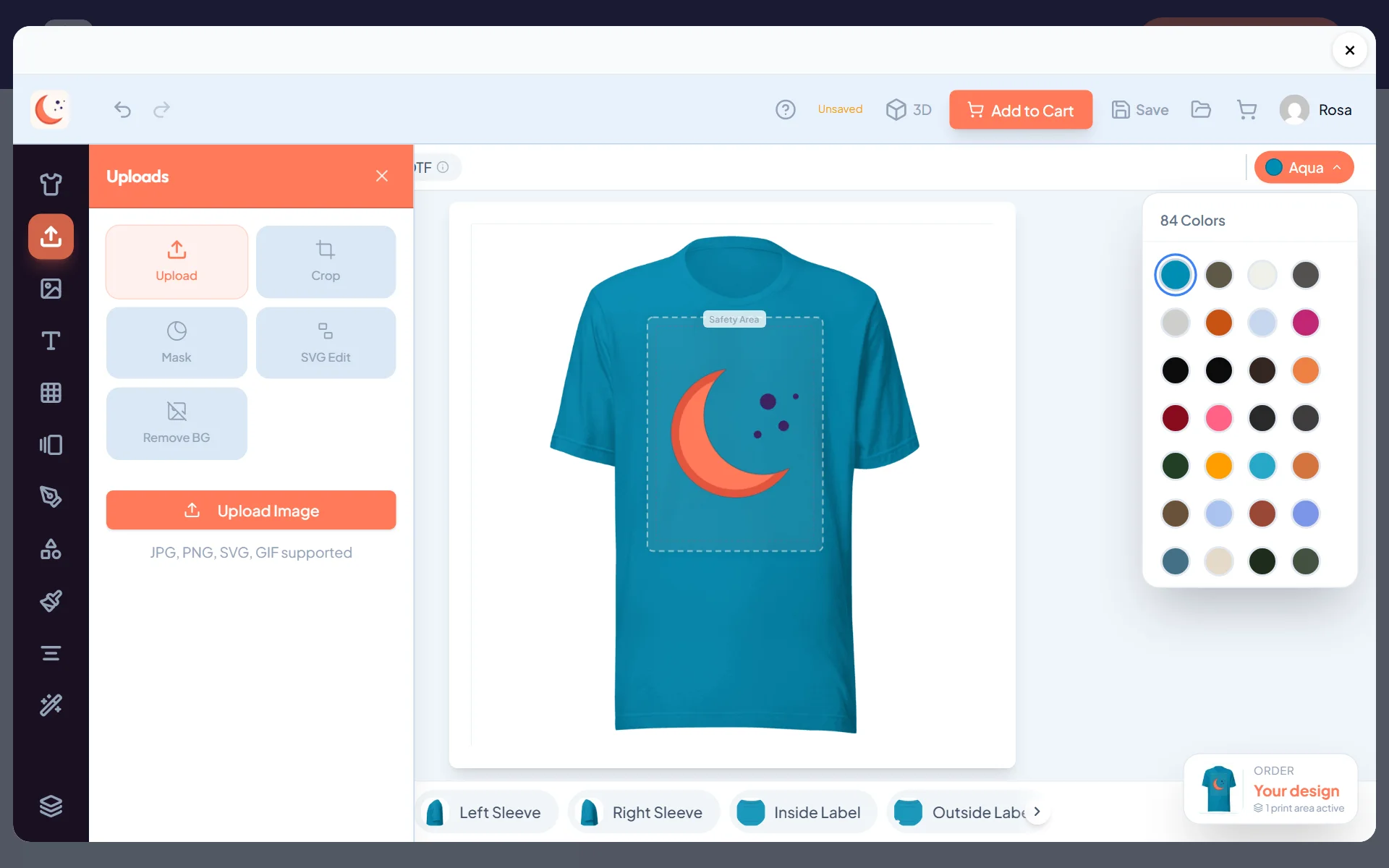
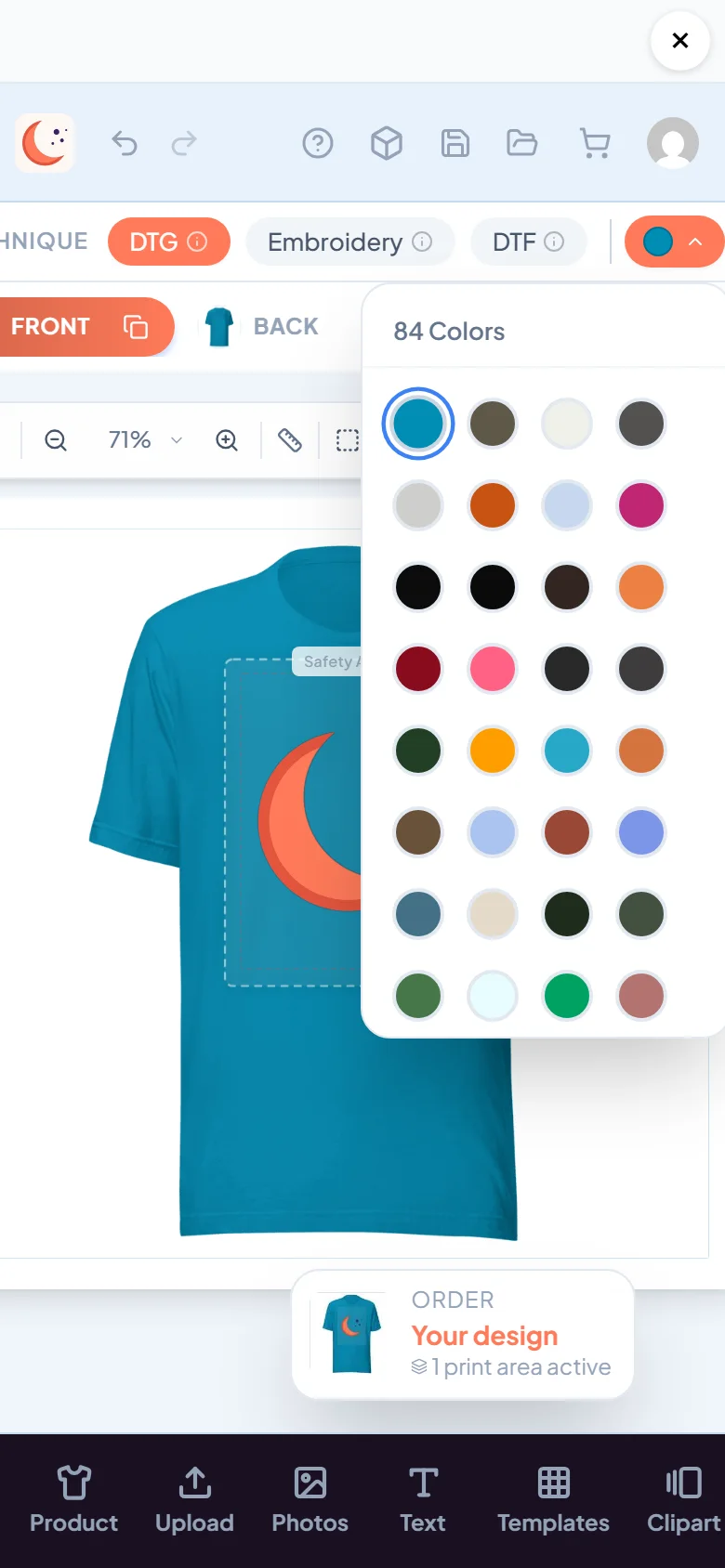
- 7
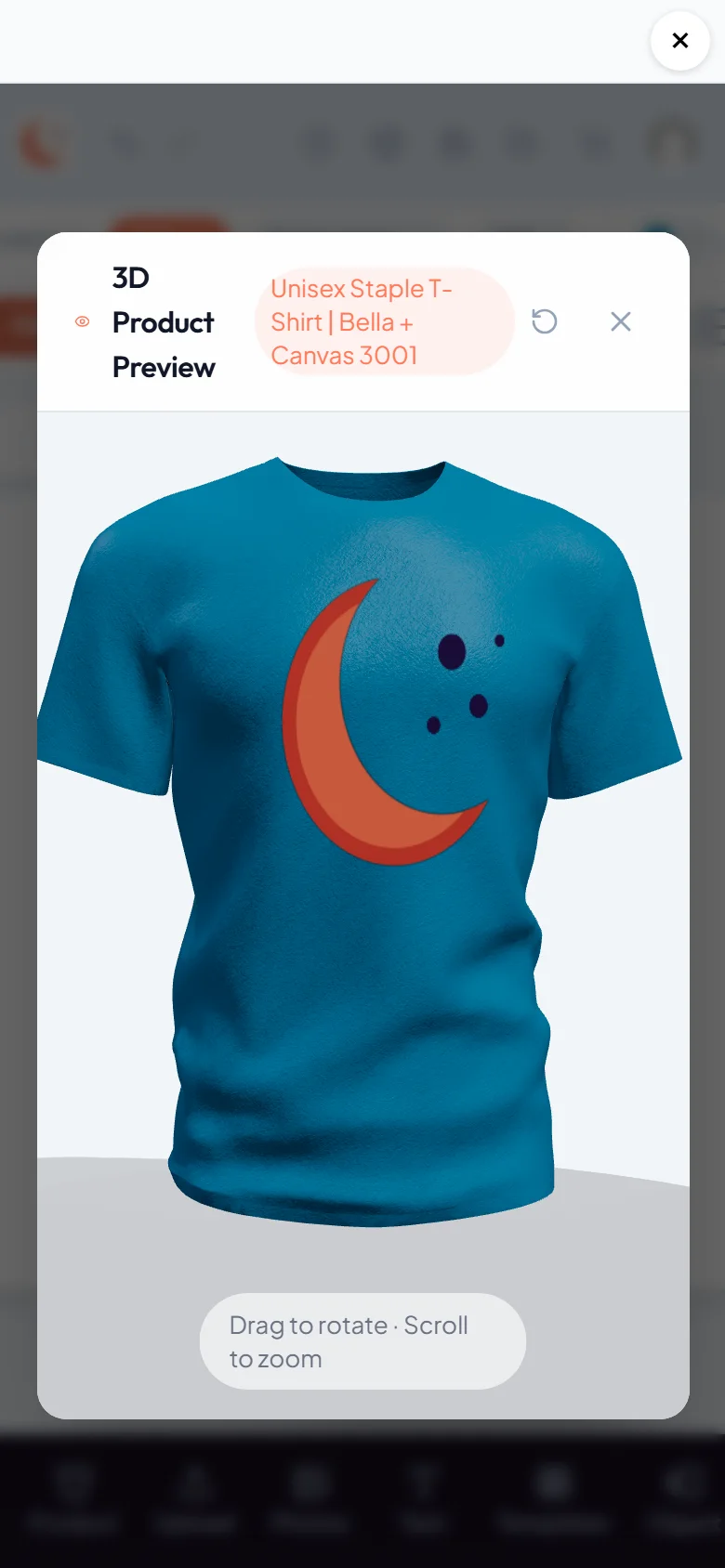
Spin it around in 3D before checkout
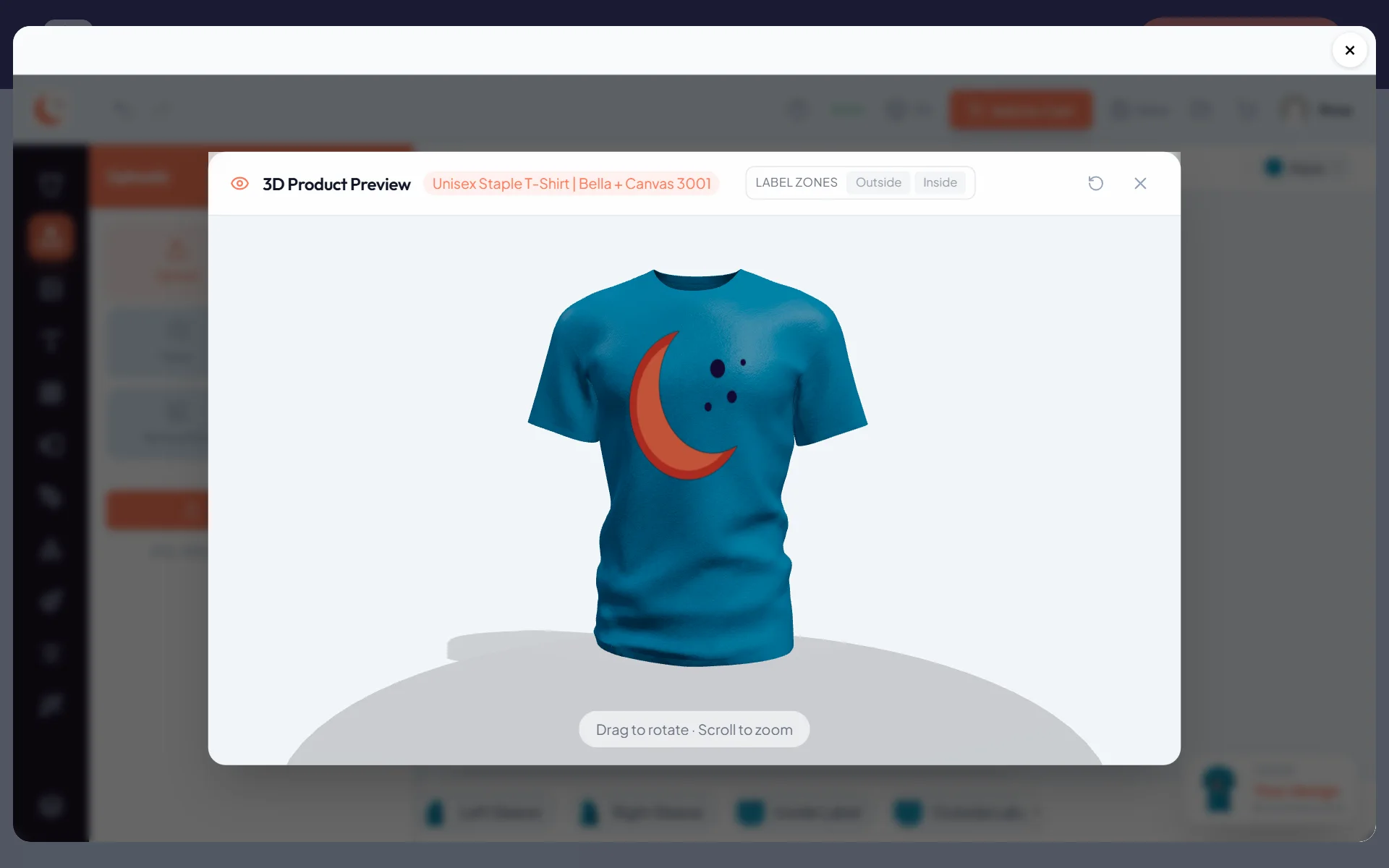
- 8
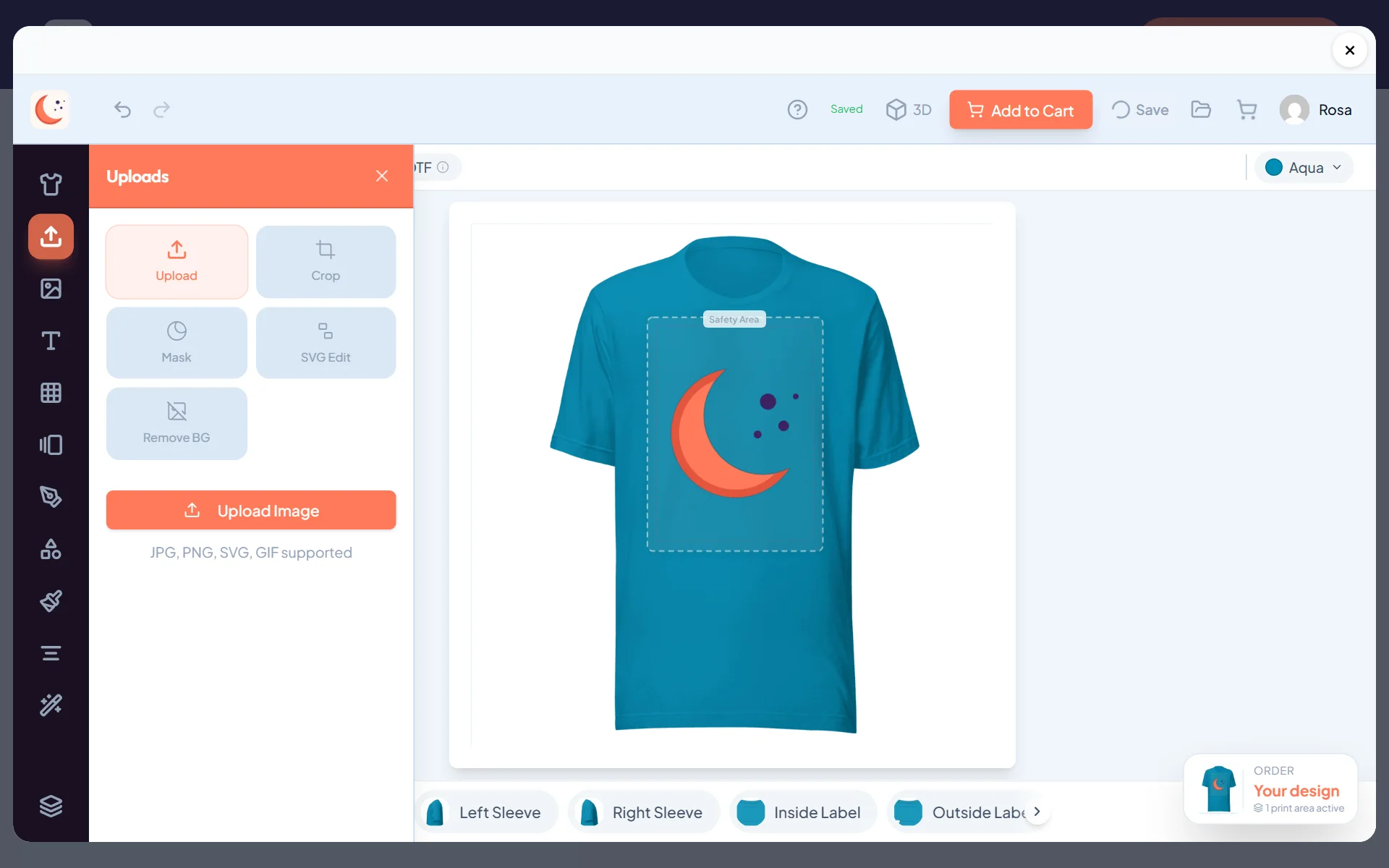
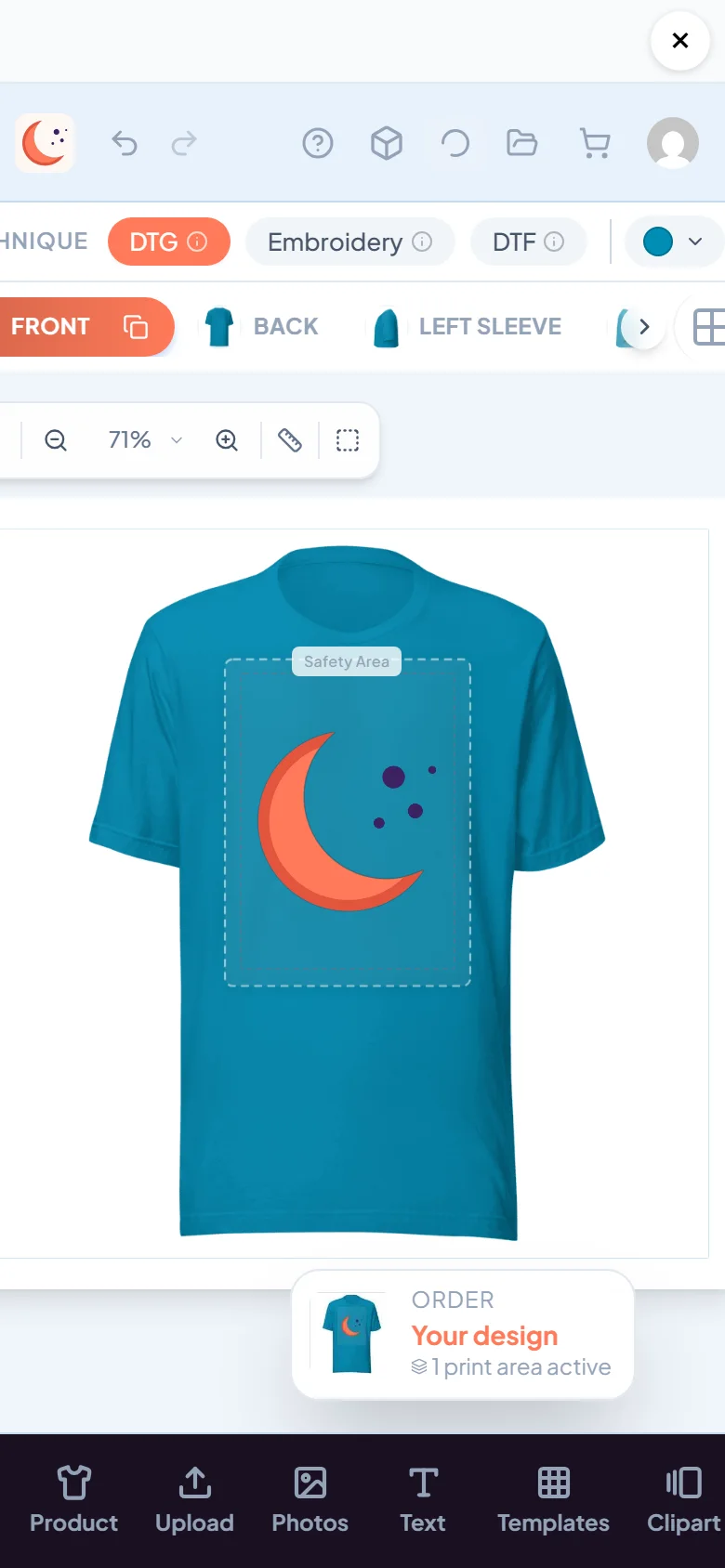
Saved designs wait in the shopper's account
- 9
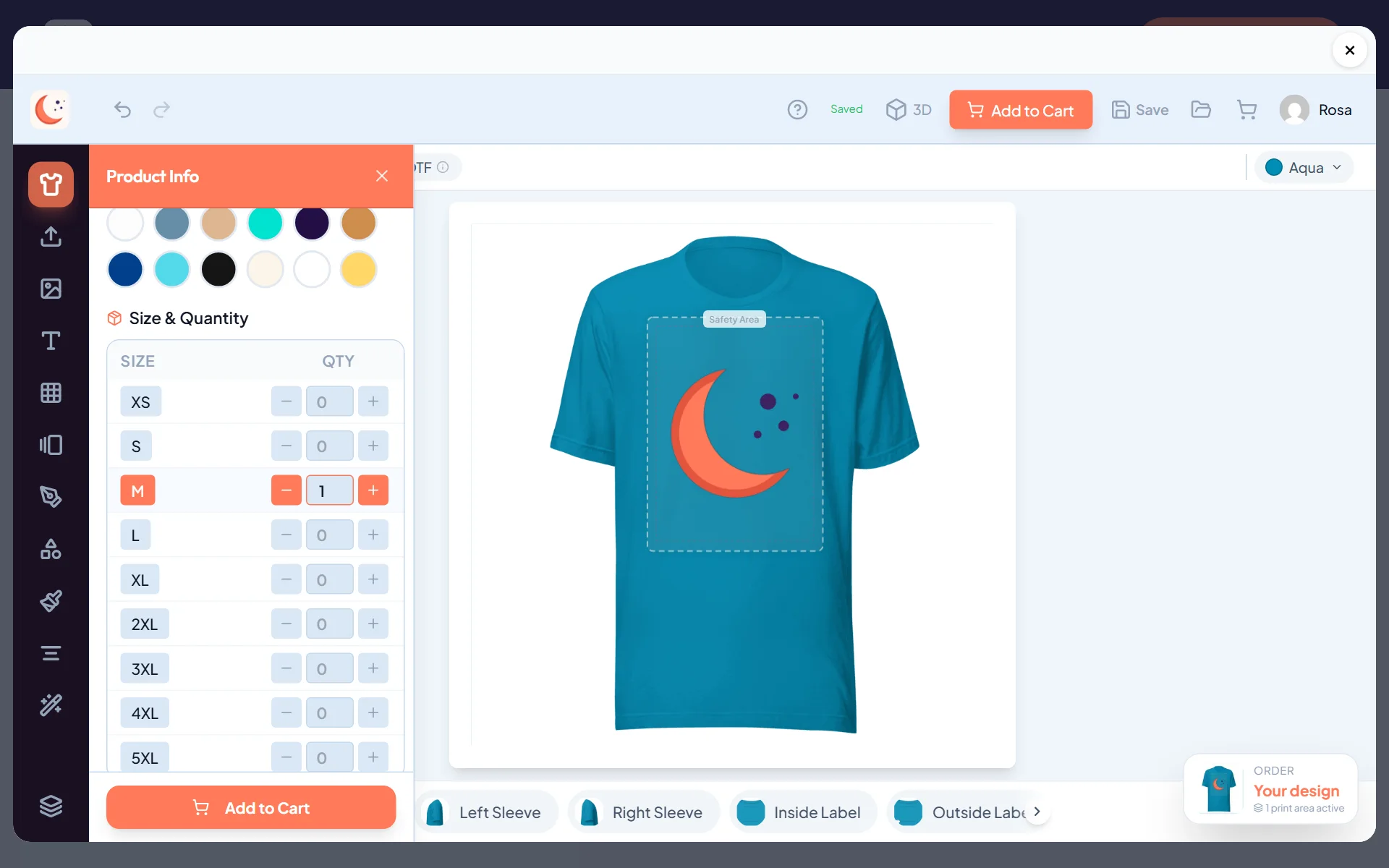
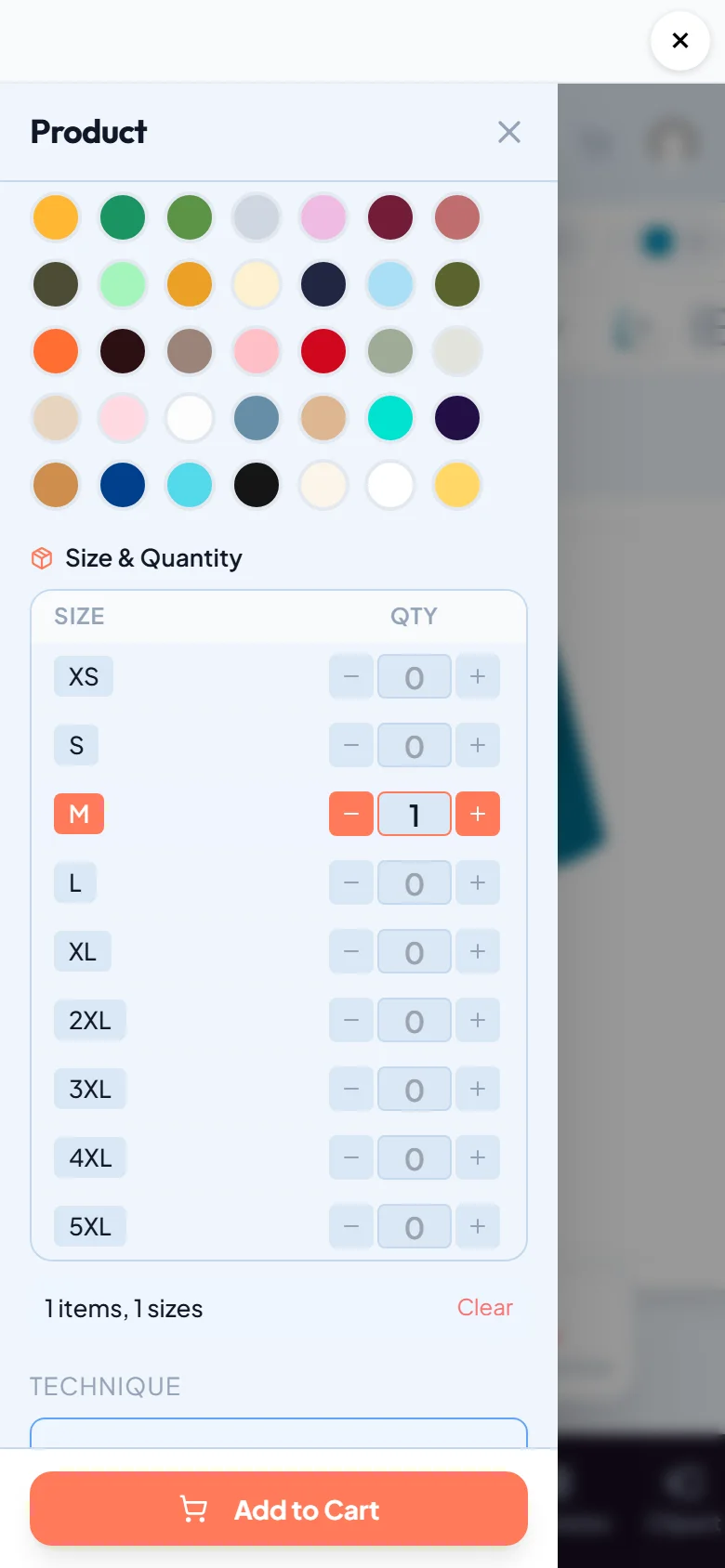
Sizes and amounts, priced by you
- 10
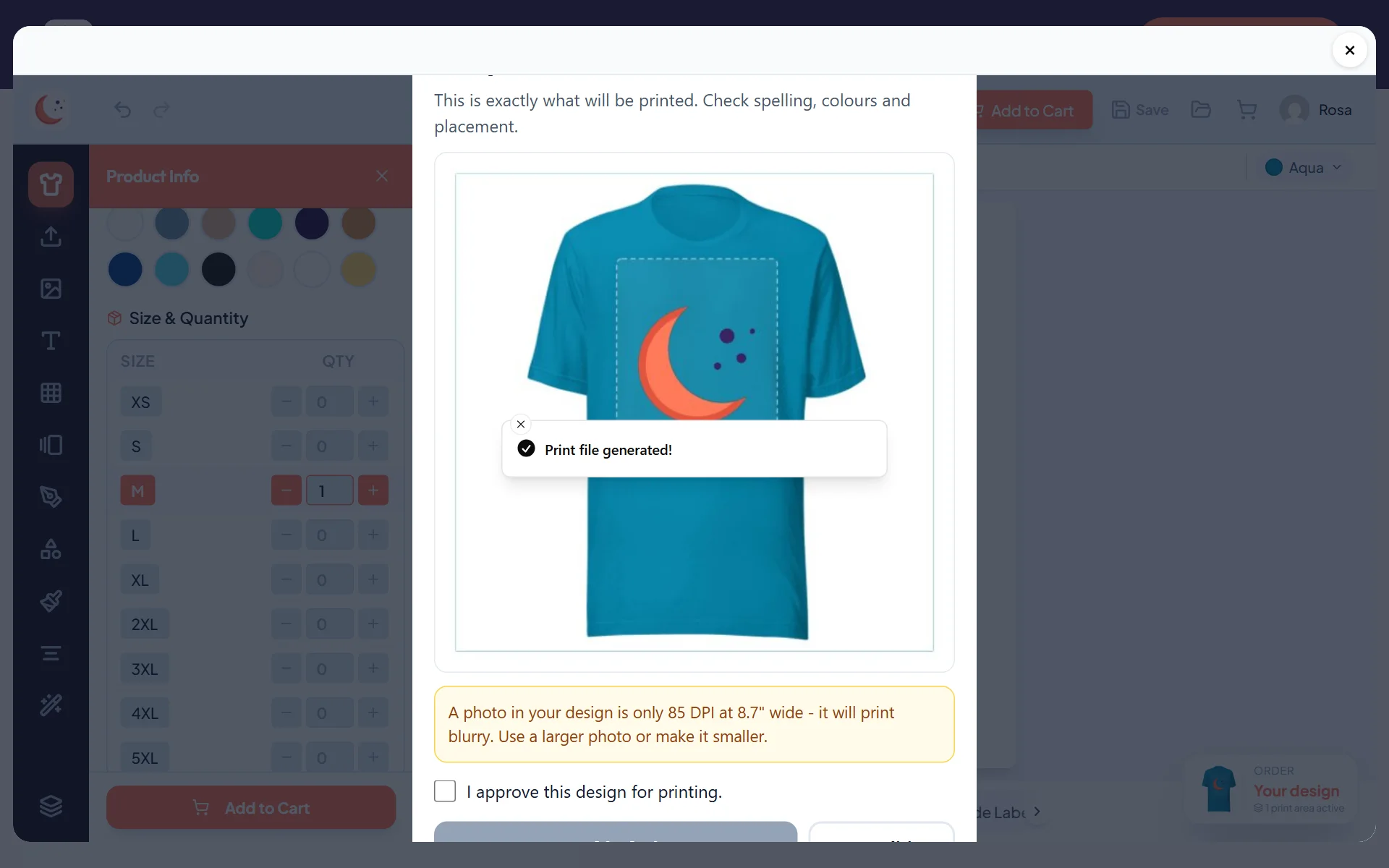
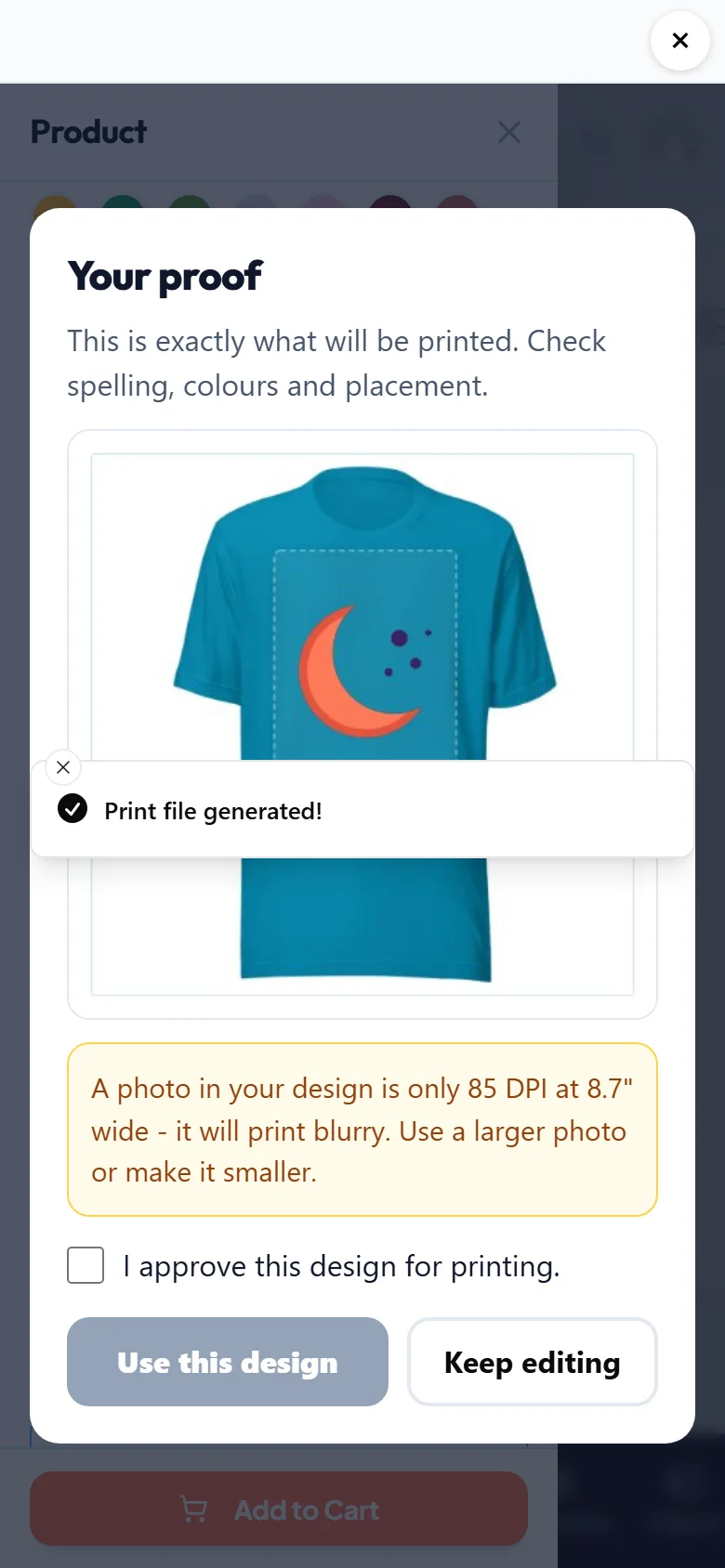
Shoppers approve a proof before it goes to the cart
- 11
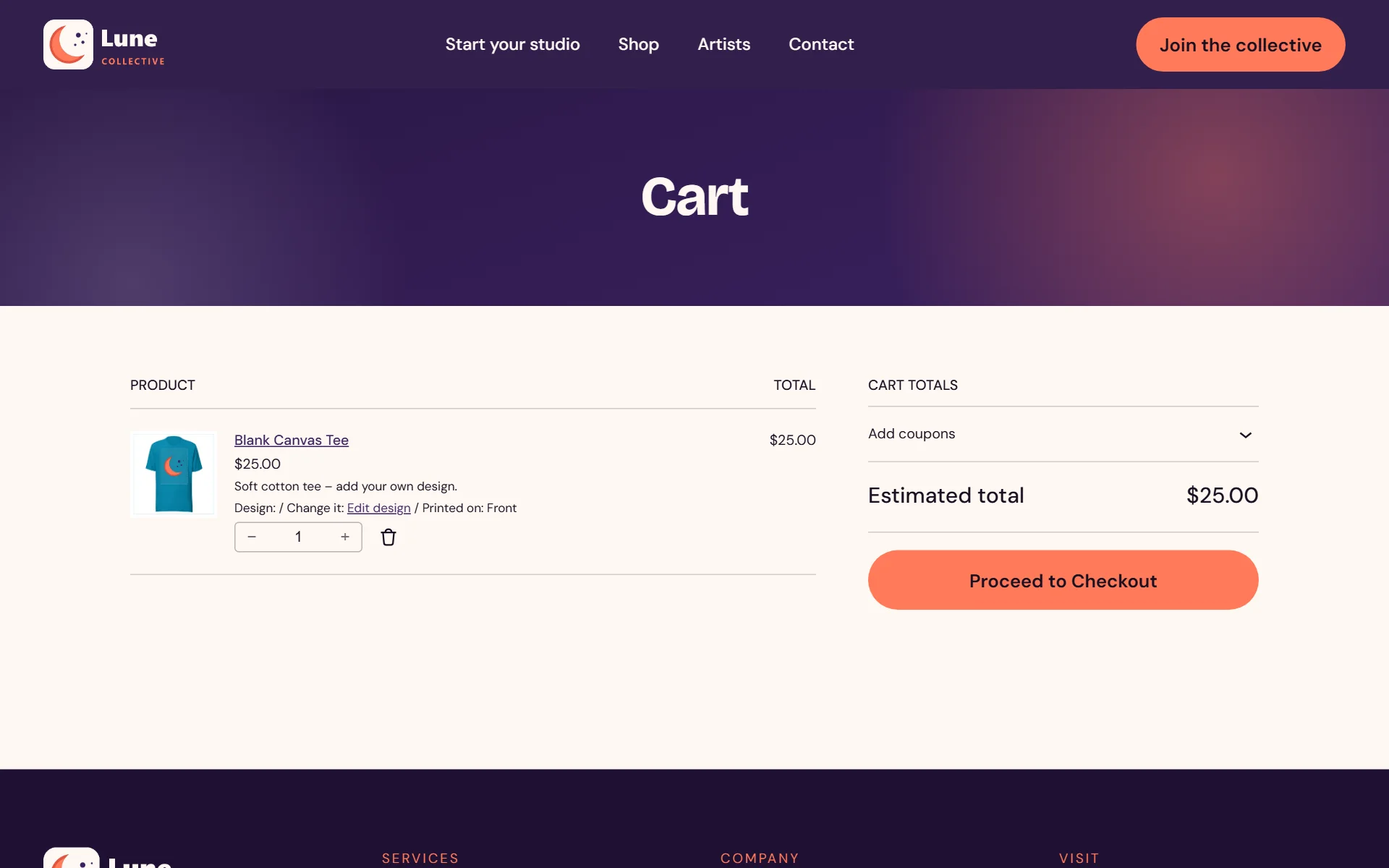
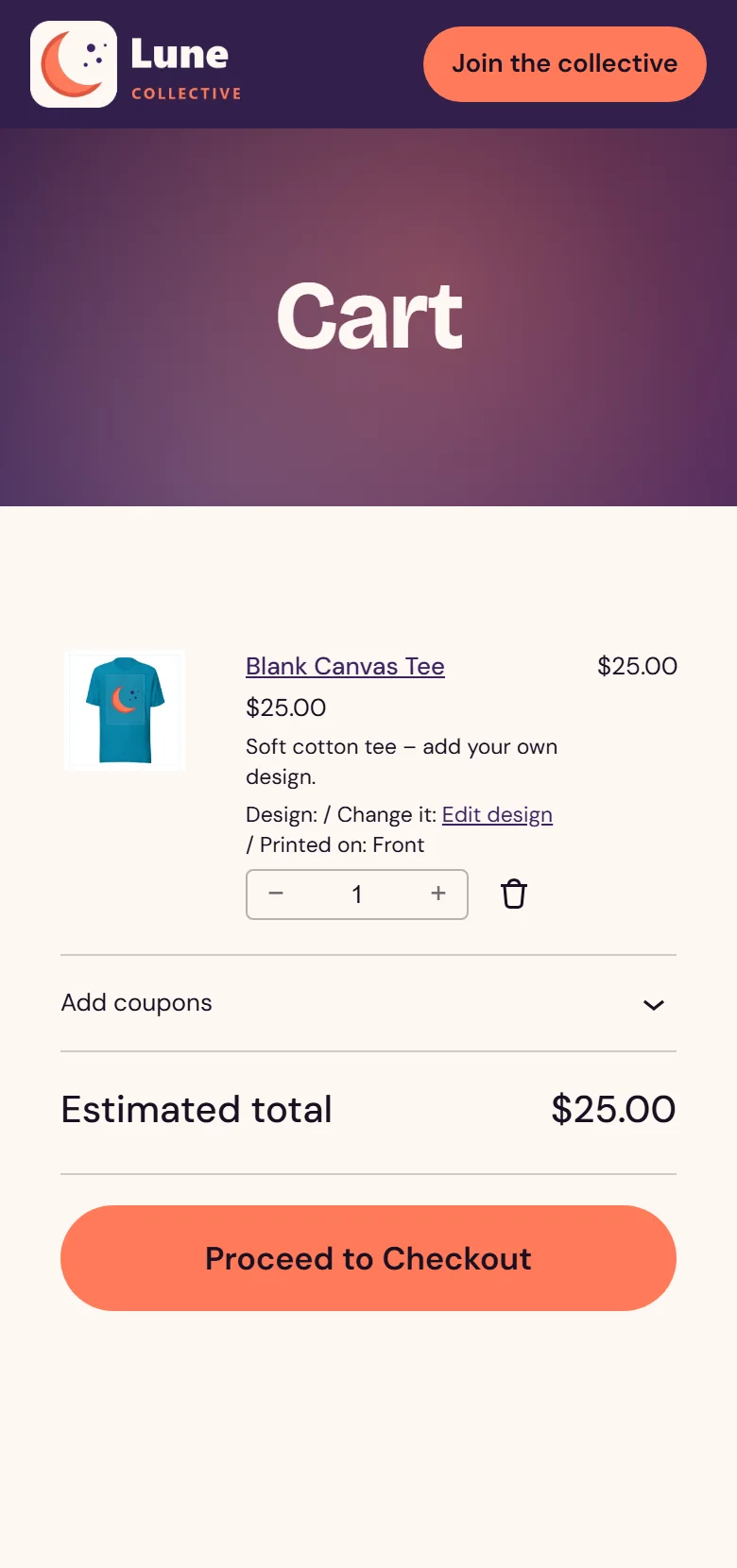
Lands in the WooCommerce cart with an Edit design link
- 12
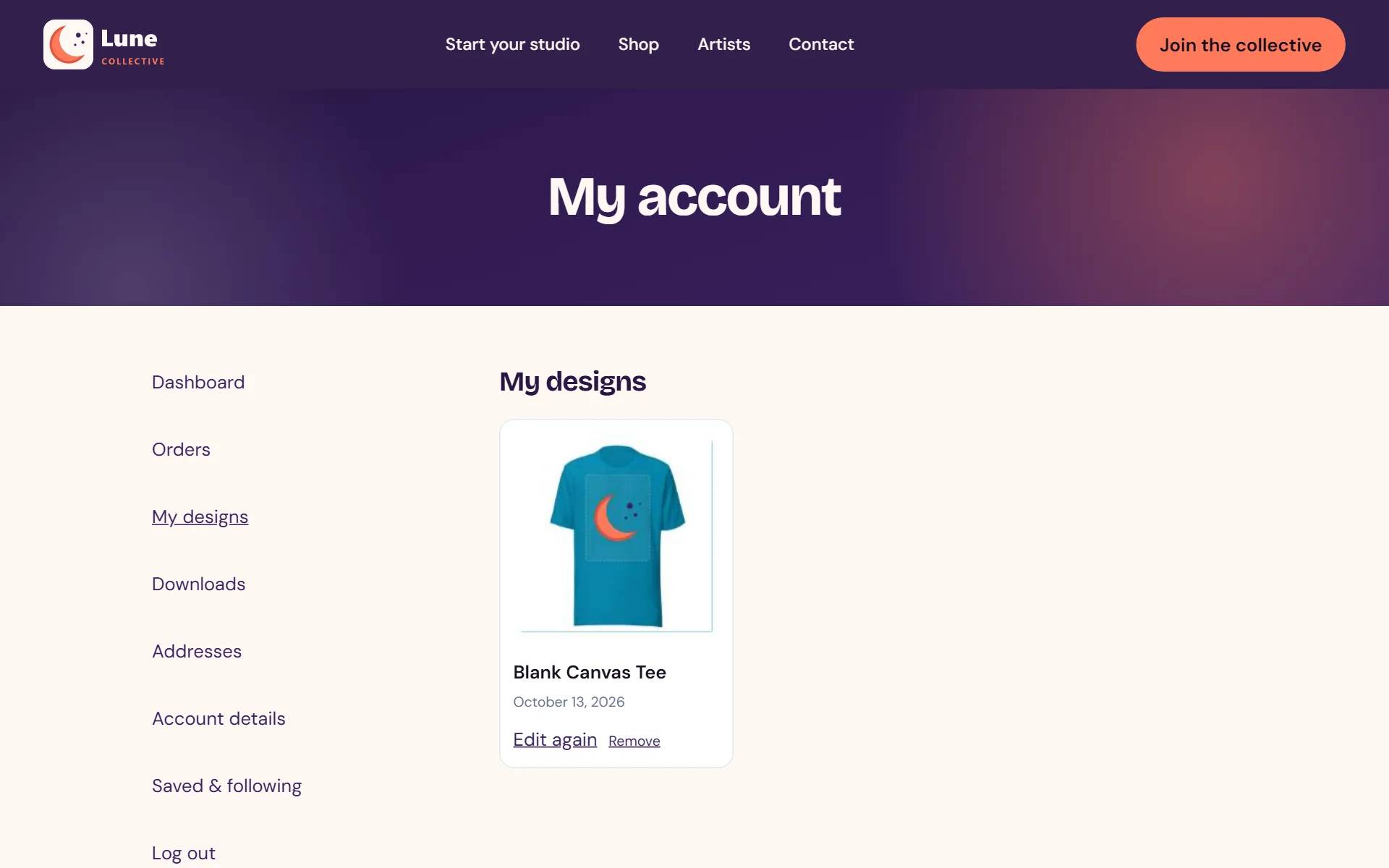
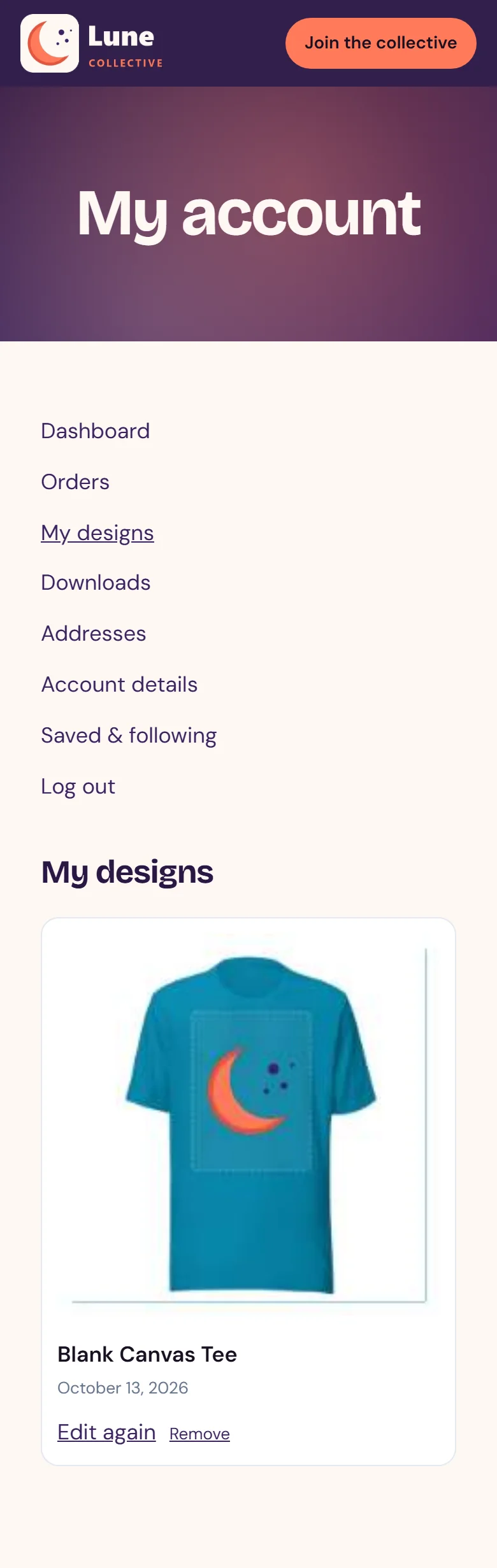
Shoppers can reopen and tweak any saved design
- 13
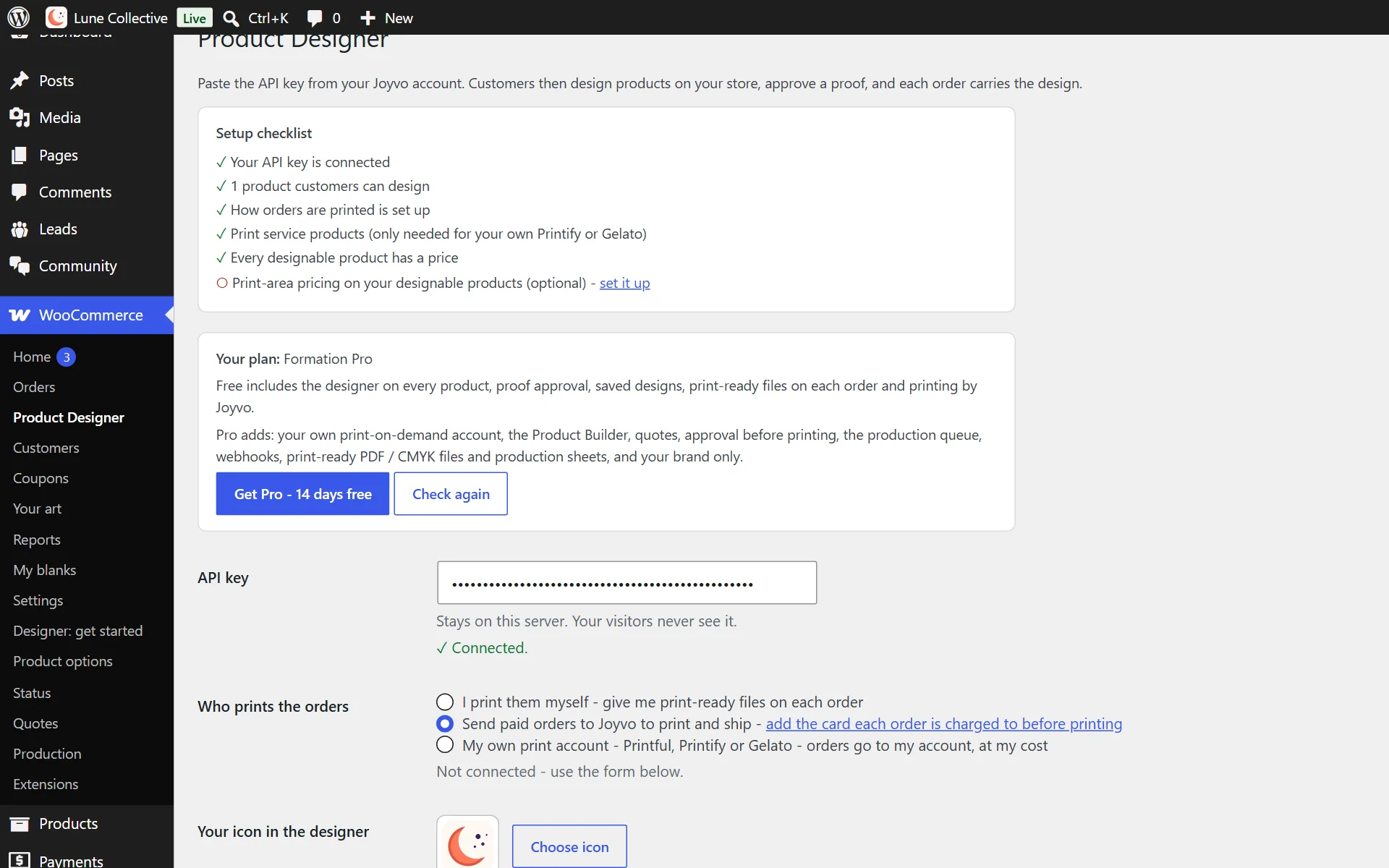
Your site icon sits in the designer - or choose another

- 14
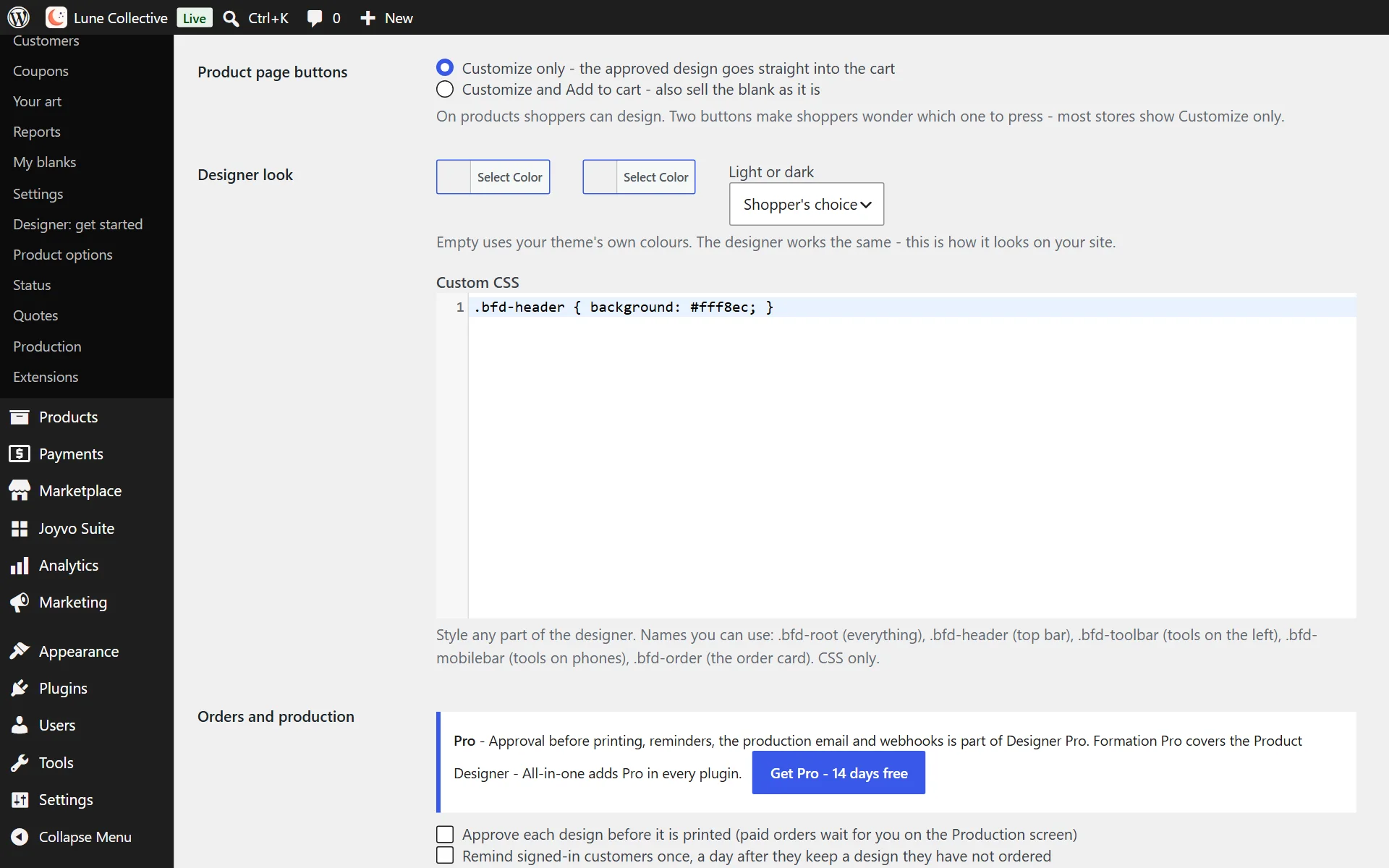
Match your shop with your colours, light or dark mode and custom CSS

- 15
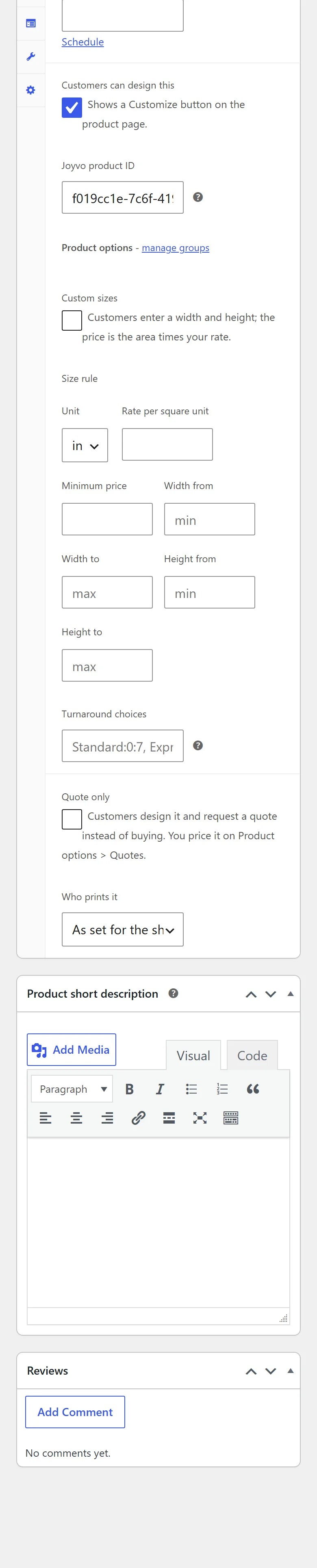
Turn it on for any product and choose what it prints on
Everything it does
68 features, all included
On your store 6
- A Customize button on any product you choose - the designer opens in place, your customer never leaves your store
- Works on a phone as well as a computer - a touch toolbar and a sheet for every tool
- Your logo in the designer, or no brand at all (white label)
- A "Design yours" button anywhere on your site - shortcode, block or Elementor widget - that opens the product with the designer ready
- Your rules per product: which print areas, techniques, tools and template categories customers get
- A setup checklist that shows what is done and what is left, with a link to fix each
Products 7
- Hundreds of products to design on: apparel, hats, mugs, bags, home goods and more - or your own blanks
- Your own blanks: photograph the garments you stock, mark each print area and its size, and customers design on them
- Every side: front, back, sleeves, labels and more - each side keeps its own design
- Every colour previewed live - two-tone colours shown as split swatches, and the design keeps its look when the colour changes
- Product info right in the designer: price, every colour and the price of every size
- A 3D preview
- Printing, embroidery and direct-to-film, with thread colours for embroidery
Text 4
- 64 fonts with colour, size, spacing and alignment, edited right on the product
- Curved text in 9 shapes: arc up, arc down, circle, wave, bridge, flag, inflate, S-curve and spiral
- Text effects: outline, shadow, glow, neon and retro
- Upload your own fonts (.ttf, .otf, .woff) and use them like any other
Images and art 13
- Uploads of photos, SVG, PDF, Illustrator (AI), EPS and Photoshop (PSD) files, with background removal and crop
- 8 photo filters: black and white, sepia, vintage, dramatic, bright, high contrast, invert and original
- Photo masks in 8 shapes: circle, heart, star, hexagon, diamond, triangle, arch and rounded corners
- Free stock photos, searchable
- Clipart and icons, with every colour in them changeable
- Shapes: rectangle, circle, triangle, star, heart and hexagon
- Freehand drawing with pencil, spray, circle brush and eraser
- QR codes for a website, phone number, text message, email or Wi-Fi - sharp vector codes at any size
- Contact-card QR codes that save you straight into someone's phone
- Barcodes - Code 128, EAN-13 and UPC-A
- Trackable QR codes: a short link on your site counts every scan
- Describe a design and AI creates it - or describe a picture and AI paints it
- 24+ ready templates, every word editable, applied in one tap
Editing 8
- Layers you can show, hide, lock, duplicate, reorder and delete
- Align left, right, top, bottom or centre; flip; bring forward or send back
- Select everything (or pick several parts on a phone) and move, scale and rotate it together
- Zoom in and out
- A grid in inches or centimetres over the print area, with snap, and the printed size of whatever you select
- Undo and redo, with the design kept if the page reloads
- A colour picker with an eyedropper on phones
- A print check before ordering: a photo too small to print sharp is flagged with its real DPI
Ordering 8
- A live price that follows the design, size by size
- Several sizes in one go, each with its own quantity
- Your customer approves a proof before the design goes on their order
- A preview of the design on the product page, in the cart, at checkout and on the order
- The cart shows which sides are printed
- My designs in My Account: every approved design kept, with Edit again and Remove
- Edit again opens the designer on that product with the design loaded - change it and order more
- Designs made before signing in move to the account on sign-in, with one-tap sign-in right where it was saved
Pricing 9
- A price for each print area (front=0, back=5, sleeve_left=3) - or one fee per extra area
- Screen setup per ink colour, counted from the real design
- Quantity breaks and a rush option
- Product options you reuse on any product - dropdowns, colour swatches, text and number fields - each adding a fixed amount or a percentage
- Show an option only when another option has a certain choice
- Custom sizes priced by area - width x height x your rate, with a minimum price
- A turnaround table - standard, express, next day - each with its own price
- Starter price sheets for t-shirts, business cards and banners, and a price tester on every product
- Nothing sold without a price: designable products with no price are flagged
Production 13
- Every order carries the approved proof and a print-ready file for every printed side
- Production files on every order: each side as a real-size PDF with bleed and crop marks, or CMYK, plus a one-page production sheet
- Print files made at each print area's real size, up to 300 DPI, and a print check that warns about blurry photos and art outside the print area
- Print it yourself, or have paid orders printed and shipped for you
- Connect your own Printful, Printify or Gelato account: paid orders are created there with the right size, colour and a file for every side, at your cost - held for you to confirm, or straight to production
- Sell this design: with Joyvo Marketplace, sellers put their artwork on your products at their own price
- Quote-only products: customers design and request a quote; you price it on the Quotes screen and they pay from a link
- Approve each design before it prints, if you like - paid orders wait for you on the Production screen
- A production queue: every designed item from New to Printing to Done, with its files
- Who prints it, per product - products you print yourself never go to the print service
- A signed webhook and a "ready to produce" email when an order is ready to print
- One reminder to signed-in customers who kept a design but never ordered it (only when you switch it on)
- A Design column in your orders list
Who it is for
WooCommerce stores, artists and brands selling anything printable - apparel, prints, mugs, phone cases and more.
What it never does
- It does not change your prices. WooCommerce charges exactly what you configured; the design is attached to the line item, never a source of truth about money.
- It does not touch products you have not enabled.
Live in 4 steps
- 1Install and activate the plugin.
- 2Create an API key in your account under API keys.
- 3Paste it into the plugin settings.
- 4Tick Customize on any product you want designable.
Version 1.14.0 · WordPress 6.0+ · PHP 7.4+
Questions people ask
Do I need a printer?
No. Print in-house if you like, plug in your own Printful, Printify or Gelato account, or have us print and ship each order.
Which print services does it plug into?
Your own Printful, Printify or Gelato account. Link it once with Pro and each paid order is sent there by itself - artwork and print files included, billed to you, shipped under your name.
Can I use my own blanks?
Yes - photograph your blanks, mark where and how big each print area is, and fans design straight onto them.
Will your logo appear on my shop?
Only if you want it to - use your own logo, or show no brand at all.
How do I avoid a fuzzy print?
A quality check flags low-resolution art before approval, and the proof shows exactly what gets printed.
Made for your kind of shop
T-shirts and apparel
T-shirts, hoodies and sweatshirts, Team and event shirts in every size
See howBanners and signs
Posters (18 x 24 in and up), Yard signs and shop signs
See howInvitations and cards
Wedding invitations and save-the-dates, Greeting and holiday cards
See howLabels and stickers
Stickers and decals, Product and jar labels
See howBusiness cards and promo
Business cards, Flyers and leaflets
See howGifts and personalised items
Mugs and drinkware, Tote bags
See howInterior and decor
Wall art and posters, Framed prints
See howFree, and Pro when you want more
Free
- The designer on every product: text, art, uploads, AI, templates, every side
- Proof approval by the customer before they buy
- Saved designs in My Account, Edit again, designs kept through sign-in
- Print-ready files for every side on each order
- Send paid orders to Joyvo to print and ship, or print them yourself
- Never breaks your theme - no scripts loaded into your store
Get started
- A 3-step setup: your key, what you sell, who prints - and your store is ready
- Ready sample products made for you as drafts: T-shirts, business cards, flyers, postcards, stickers, folded cards, labels, posters
- A library of standard sizes - US and EU business cards, Letter / A4 / A5 flyers, 6 x 4 postcards, stickers, labels, 18 x 24 posters - at real size with the 1/8 in bleed and every side set
- Edit a blank once and every product using it changes
Pro - Designer Pro, All-in-one or Agency
- Your own print-on-demand account - orders go to your account, at your cost
- The Product Builder: options, sizes priced by area, minimum prices, turnaround, starter price sheets, price tester
- Quotes: "Request a quote" products, priced by you, paid by a link
- Approve each design before it is printed, a production queue, a "ready to produce" email and signed webhooks
- Print-ready PDF with crop marks, CMYK TIFF and a production sheet per order
- Your brand only - no Joyvo branding in the designer
- Reminders for designs customers kept but never ordered
Pick your plan
Every plugin is free with your Joyvo account. Give Pro a 14-day free try on any site - cancel any time.
Hosting with Joyvo? Every Pro feature is already on for your sites.
What's new
Current version 1.14.0
Version 1.14.02026-10-13Latest
- New setting, Product page buttons: Customize only (the default) hides Add to cart and the quantity box on products shoppers can design - the approved proof goes straight into the cart. Or keep both to also sell the blank.
- After Use this design the shopper sees "Adding it to your cart..."; a product whose options are not picked yet shows Add to cart again.
- The approved design's picture keeps its size on a phone.
Turn every product into a custom product.
Free - Pro from $19/mo. Install it in minutes - your first result shows up today.